• About EvoHam
  • Privacy Policy
  • Affiliate Disclosure
  • Terms of Service
  • Contact
Evoham.com
  • Home
  • News
    • All
    • D-STAR News
    • DMR News
    • Equipment News
    • FreeDV News
    • Operating News
    • Yaesu Fusion News
    NEW RADIO, DMR, D-STAR, C4FM, System Fusion, mobile, radio, ham radio, amateur radio, VA3XPR, dual-band, multi-mode, FM, chassis

    New Radio (2016): Multimode Ham Radio for DMR, D-STAR & C4FM

    FreeDV 2.0.2 user interface showing the RADEV1 digital voice modem and live HF signal waterfall.

    FreeDV 2.0.2 Release: Open-Source HF Digital Voice Update

    Jean Moffett, VE3WAD, operating a Digital Mobile Radio (DMR) setup at the Ontario Science Centre amateur radio station, demonstrating the technology to visitors.

    Ontario Science Centre Revolutionizes Ham Radio with DMR

    • DMR News
    • Yaesu Fusion News
    • D-STAR News
    • Equipment News
    • Operating News
    • FreeDV News
    • M17 News
    • P25 News
  • Reviews
    • All
    • DMR Reviews
    • Mobile Radio Reviews
    • P25 Reviews
    • Portable Radio Reviews
    • Yaesu Fusion Reviews
    Cat watching the TYT MD-9600 radio box during EvoHam’s how we test and review products process

    How We Test and Review Products at EvoHam

    Hytera PD782 UHF DMR handheld showing colour LCD display and keypad

    Hytera PD782 Review (2025): Rugged Mid-Tier DMR Radio

    Yaesu FT2DR review - dual-band C4FM Fusion handheld radio showing touchscreen display

    Yaesu FT2DR Review (2025): Still Worth It Today?

    TYT MD-380 DMR handheld radio showing its colour LCD display and keypad.

    TYT MD-380 Review (2025): A DMR Classic Revisited

    Front view of the Motorola SL300 DMR radio showing its slim design and matrix LED display.

    Motorola SL300 Review (2025): Pocket-Sized DMR Performance

    Motorola XPR7550 IS DMR handheld radio showing blue Intrinsically Safe housing and colour LCD display

    Motorola XPR7550 IS Review (2025): Intrinsically Safe DMR

    • DMR
    • Yaesu Fusion
    • D-STAR
    • P25
    • NXDN
    • Portable Radios
    • Mobile Radios
    • Hotspots
    • Repeaters
  • Guides
    • All
    • D-STAR Guides
    • DMR Guides
    • M17 Guides
    • NXDN Guides
    • Operating Guides
    • P25 Guides
    • Repeater Guides
    • Yaesu Fusion Guides
    Kenwood NXDN handheld radio with industrial background — hero image for NXDN for Beginners.

    NXDN for Beginners: A Ham Radio Digital Voice Primer

    Tait P25 multiband handheld radio for public-safety communication - featured in P25 for Beginners guide

    P25 for Beginners: Understanding Project 25 Digital Voice

    TYT MD-390 handheld radio supporting the open-source M17 protocol, shown in the EvoHam guide M17 for Beginners for amateur radio operators.

    M17 for Beginners: A Step-by-Step Guide for New Hams

    D-STAR for Beginners – Icom IC-705 portable D-STAR radio set up outdoors on a wooden table beside a tent, ready for QRP digital voice operation. Photo credit Icom Inc.

    D-STAR for Beginners: A Step-by-Step Guide for New Hams

    A row of DMR handheld radios from Motorola, Hytera, AnyTone, BFDX, and Radioddity displayed on a desk - perfect for illustrating What Is DMR in Ham Radio.

    What Is DMR in Ham Radio? Time Slots, Color Codes & More

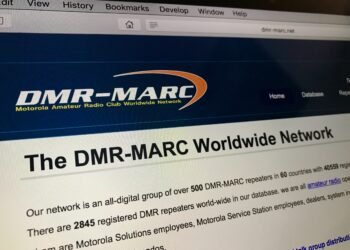
    Screenshot of the DMR-MARC website showing the Motorola Amateur Radio Club Worldwide Network homepage.

    What Is DMR-MARC? The Original DMR Backbone for Hams

    BrandMeister DMR logo showing the global amateur radio digital network name

    What Is BrandMeister DMR? How Hams Connect Worldwide

    Fusion for Beginners - Yaesu System Fusion radios including FT-70DR handheld, FTM-300DR mobile, and DR-1 repeater.

    Fusion for Beginners: A Step-by-Step Guide for New Hams

    DMR for Beginners - Radioddity GD-77 and AnyTone AT-D878UV handheld radios side-by-side on a white background

    DMR for Beginners: A Step-by-Step Guide for New Hams

    • DMR Guides
    • FreeDV Guides
    • Operating Guides
    • YAESU FUSION
    • D-STAR
    • P25
    • M17 Guides
    • NXDN
    • Destination Guides
    • Repeater Guides
    • Software & Programming Guides
  • Resources
    • All
    • DMR Resources
    • Firmware Resources
    • Mapping Software
    • Programming Software Resources
    • RF Tools
    • Simplex Frequency Resources
    Baofeng DM32UV and AnyTone AT-D878UVII Plus handheld radios beside a laptop running DMR Programming Software.

    DMR Programming Software and Firmware for Ham Radios

    Hytera TD580 DMR handheld radio showing 441.000 MHz DMR simplex frequency on its display for ham radio use.

    DMR Simplex Frequencies: Your Complete Ham Radio Guide

    RF coverage map showing predicted signal strength and coverage area from a central transmitter location created with Radio Mobile Online.

    RF Coverage Maps: Create Like a Pro in 3 Easy Steps

    • DMR Resources
    • Yaesu Fusion Resources
    • D-STAR Resources
    • NXDN Resources
    • P25 Resources
  • Editorial
No Result
View All Result
  • Home
  • News
    • All
    • D-STAR News
    • DMR News
    • Equipment News
    • FreeDV News
    • Operating News
    • Yaesu Fusion News
    NEW RADIO, DMR, D-STAR, C4FM, System Fusion, mobile, radio, ham radio, amateur radio, VA3XPR, dual-band, multi-mode, FM, chassis

    New Radio (2016): Multimode Ham Radio for DMR, D-STAR & C4FM

    FreeDV 2.0.2 user interface showing the RADEV1 digital voice modem and live HF signal waterfall.

    FreeDV 2.0.2 Release: Open-Source HF Digital Voice Update

    Jean Moffett, VE3WAD, operating a Digital Mobile Radio (DMR) setup at the Ontario Science Centre amateur radio station, demonstrating the technology to visitors.

    Ontario Science Centre Revolutionizes Ham Radio with DMR

    • DMR News
    • Yaesu Fusion News
    • D-STAR News
    • Equipment News
    • Operating News
    • FreeDV News
    • M17 News
    • P25 News
  • Reviews
    • All
    • DMR Reviews
    • Mobile Radio Reviews
    • P25 Reviews
    • Portable Radio Reviews
    • Yaesu Fusion Reviews
    Cat watching the TYT MD-9600 radio box during EvoHam’s how we test and review products process

    How We Test and Review Products at EvoHam

    Hytera PD782 UHF DMR handheld showing colour LCD display and keypad

    Hytera PD782 Review (2025): Rugged Mid-Tier DMR Radio

    Yaesu FT2DR review - dual-band C4FM Fusion handheld radio showing touchscreen display

    Yaesu FT2DR Review (2025): Still Worth It Today?

    TYT MD-380 DMR handheld radio showing its colour LCD display and keypad.

    TYT MD-380 Review (2025): A DMR Classic Revisited

    Front view of the Motorola SL300 DMR radio showing its slim design and matrix LED display.

    Motorola SL300 Review (2025): Pocket-Sized DMR Performance

    Motorola XPR7550 IS DMR handheld radio showing blue Intrinsically Safe housing and colour LCD display

    Motorola XPR7550 IS Review (2025): Intrinsically Safe DMR

    • DMR
    • Yaesu Fusion
    • D-STAR
    • P25
    • NXDN
    • Portable Radios
    • Mobile Radios
    • Hotspots
    • Repeaters
  • Guides
    • All
    • D-STAR Guides
    • DMR Guides
    • M17 Guides
    • NXDN Guides
    • Operating Guides
    • P25 Guides
    • Repeater Guides
    • Yaesu Fusion Guides
    Kenwood NXDN handheld radio with industrial background — hero image for NXDN for Beginners.

    NXDN for Beginners: A Ham Radio Digital Voice Primer

    Tait P25 multiband handheld radio for public-safety communication - featured in P25 for Beginners guide

    P25 for Beginners: Understanding Project 25 Digital Voice

    TYT MD-390 handheld radio supporting the open-source M17 protocol, shown in the EvoHam guide M17 for Beginners for amateur radio operators.

    M17 for Beginners: A Step-by-Step Guide for New Hams

    D-STAR for Beginners – Icom IC-705 portable D-STAR radio set up outdoors on a wooden table beside a tent, ready for QRP digital voice operation. Photo credit Icom Inc.

    D-STAR for Beginners: A Step-by-Step Guide for New Hams

    A row of DMR handheld radios from Motorola, Hytera, AnyTone, BFDX, and Radioddity displayed on a desk - perfect for illustrating What Is DMR in Ham Radio.

    What Is DMR in Ham Radio? Time Slots, Color Codes & More

    Screenshot of the DMR-MARC website showing the Motorola Amateur Radio Club Worldwide Network homepage.

    What Is DMR-MARC? The Original DMR Backbone for Hams

    BrandMeister DMR logo showing the global amateur radio digital network name

    What Is BrandMeister DMR? How Hams Connect Worldwide

    Fusion for Beginners - Yaesu System Fusion radios including FT-70DR handheld, FTM-300DR mobile, and DR-1 repeater.

    Fusion for Beginners: A Step-by-Step Guide for New Hams

    DMR for Beginners - Radioddity GD-77 and AnyTone AT-D878UV handheld radios side-by-side on a white background

    DMR for Beginners: A Step-by-Step Guide for New Hams

    • DMR Guides
    • FreeDV Guides
    • Operating Guides
    • YAESU FUSION
    • D-STAR
    • P25
    • M17 Guides
    • NXDN
    • Destination Guides
    • Repeater Guides
    • Software & Programming Guides
  • Resources
    • All
    • DMR Resources
    • Firmware Resources
    • Mapping Software
    • Programming Software Resources
    • RF Tools
    • Simplex Frequency Resources
    Baofeng DM32UV and AnyTone AT-D878UVII Plus handheld radios beside a laptop running DMR Programming Software.

    DMR Programming Software and Firmware for Ham Radios

    Hytera TD580 DMR handheld radio showing 441.000 MHz DMR simplex frequency on its display for ham radio use.

    DMR Simplex Frequencies: Your Complete Ham Radio Guide

    RF coverage map showing predicted signal strength and coverage area from a central transmitter location created with Radio Mobile Online.

    RF Coverage Maps: Create Like a Pro in 3 Easy Steps

    • DMR Resources
    • Yaesu Fusion Resources
    • D-STAR Resources
    • NXDN Resources
    • P25 Resources
  • Editorial
No Result
View All Result
EvoHam
No Result
View All Result
Home Guides DMR Guides
DMR for Beginners - Radioddity GD-77 and AnyTone AT-D878UV handheld radios side-by-side on a white background

DMR for Beginners: A Step-by-Step Guide for New Hams

A clear, step-by-step beginner’s guide to choosing your first DMR radio, getting your DMR ID, programming a code-plug, and making your first digital QSO.

Don Trynor, VA3XFT by Don Trynor, VA3XFT
November 3, 2025
Share on FacebookShare on TwitterShare on LinkedInShare on RedditShare on ThreadsShare on WhatsApp

Table of Contents

  • 1. DMR for Beginners: Meet DMR
  • 2. Picking Your First DMR Radio
  • 3. Get Your DMR ID
  • 4. Setting Up the Programming Software
  • 5. Finding Your Local DMR Repeaters
  • 6. Building Your First Codeplug
  • 7. Making Your First Digital QSO
  • 8. Going Beyond the Local Repeater
  • 9. A Word on DMR Etiquette
  • 10. Keep Learning
  • 11. Final Thoughts

This guide walks you through every step – from choosing your first DMR radio and getting your unique DMR ID to programming a simple codeplug and making your first digital QSO. Whether you’re brand-new to ham radio or just curious about going digital, you’ll be on the air in no time.

For many new hams, the first taste of digital voice often comes with DMR, which is short for “Digital Mobile Radio”. Originally developed for commercial two-way radio users, DMR has been embraced by the ham community for its crisp audio, efficient use of spectrum, and the thrill of connecting with operators worldwide over the Internet.

If you’ve just earned your ticket and want to explore digital modes, this guide will walk you through the entire process, from buying your first radio to making your very first digital QSO.

1 DMR for Beginners: Meet DMR

DMR works differently from analog FM. Instead of sending your voice as a continuous audio wave, it compresses it into digital data using the AMBE+2 codec. That makes your audio stay clear and consistent until you reach the edge of coverage, unlike analog FM, which fades gradually into the noise.

Another DMR hallmark is TDMA (Time-Division Multiple Access): a single 12.5-kHz channel is divided into two alternating time-slots, so two conversations can share the same frequency. Hams also use talkgroups, which are virtual chat rooms, that let you join conversations by region, country, or interest.
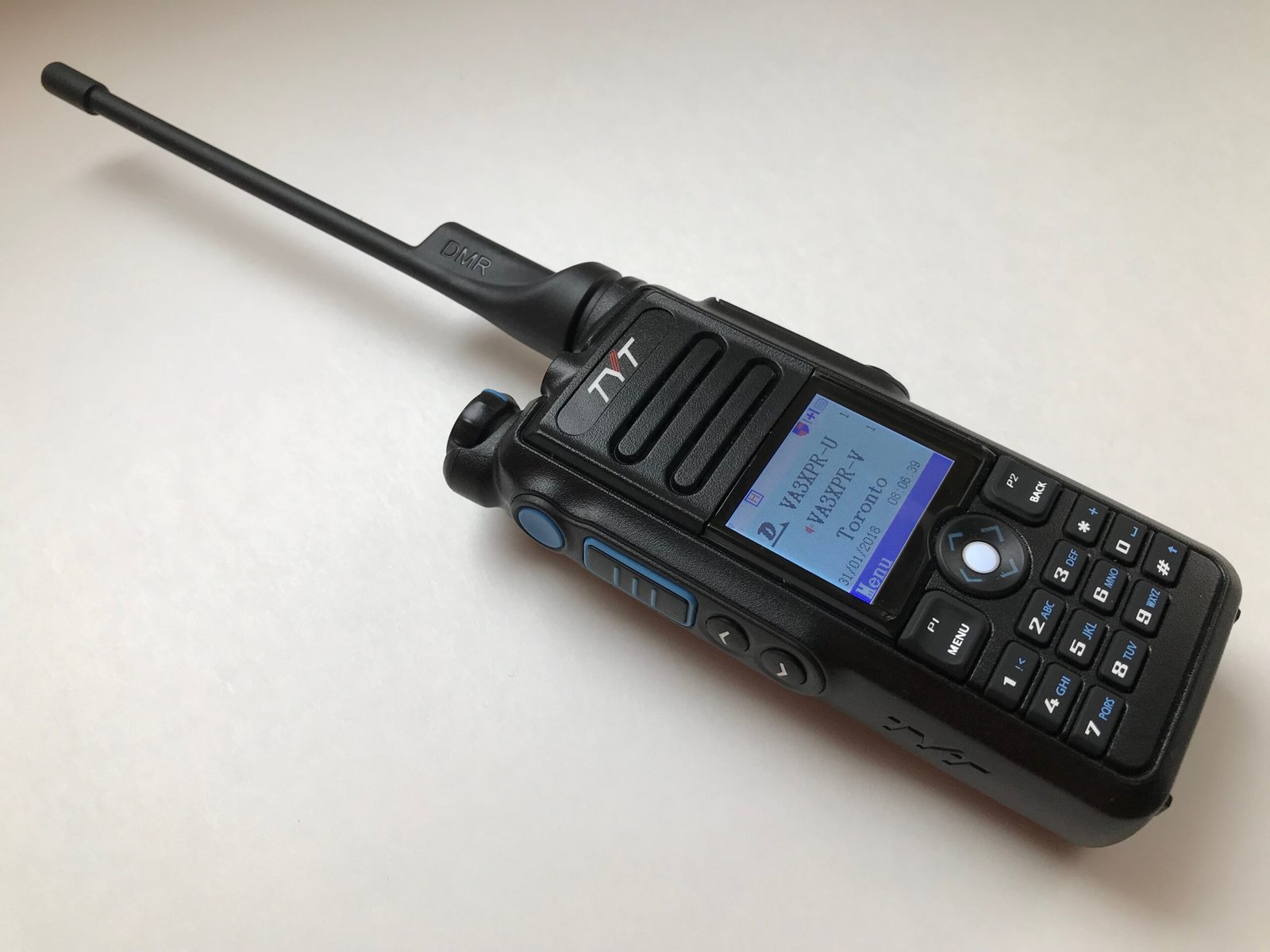
DMR for Beginners - TYT MD-2017 dual-band DMR handheld radio for new ham-radio operators
The TYT MD-2017 dual-band handheld – a popular choice featured in our DMR for Beginners guide for newcomers to ham-radio digital voice.

2 Picking Your First DMR Radio

Your journey begins with choosing a DMR radio. Many newcomers start with a handheld DMR unit such as the Radioddity GD-88, Anytone AT-D878UV II, or TYT MD-2017. If you want more power and a bigger display for the car or shack, mobile rigs like the Anytone AT-D578UV III Pro or TYT MD-9600 are good bets.
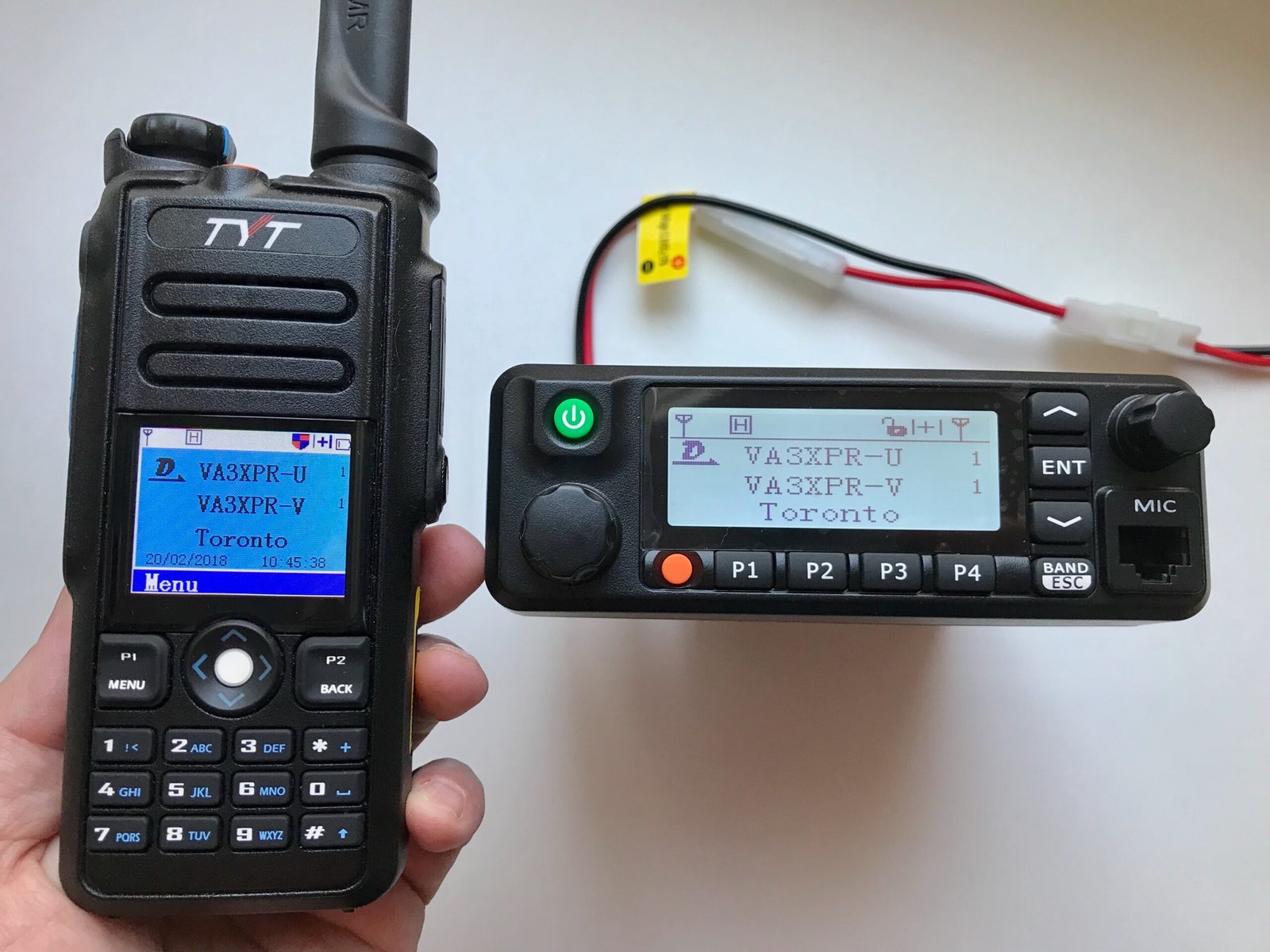
DMR for Beginners - TYT MD-2017 portable DMR handheld radio and TYT MD-9600 mobile DMR radio side-by-side
Two popular beginner DMR radios – the TYT MD-2017 handheld (left) and the TYT MD-9600 mobile unit (right) – both featured in our DMR for Beginners guide.

Some hams prefer commercial-grade radios like the Motorola XPR-7550e or Hytera PD-782, which are often available second-hand but can be more challenging to program. Whatever you choose, invest in a reliable programming cable, as many headaches come from cheap knock-offs that fail to communicate with your computer. Also consider whether the programming software is readily available; for example, software for some Motorola DMR radios may require an additional paid license.
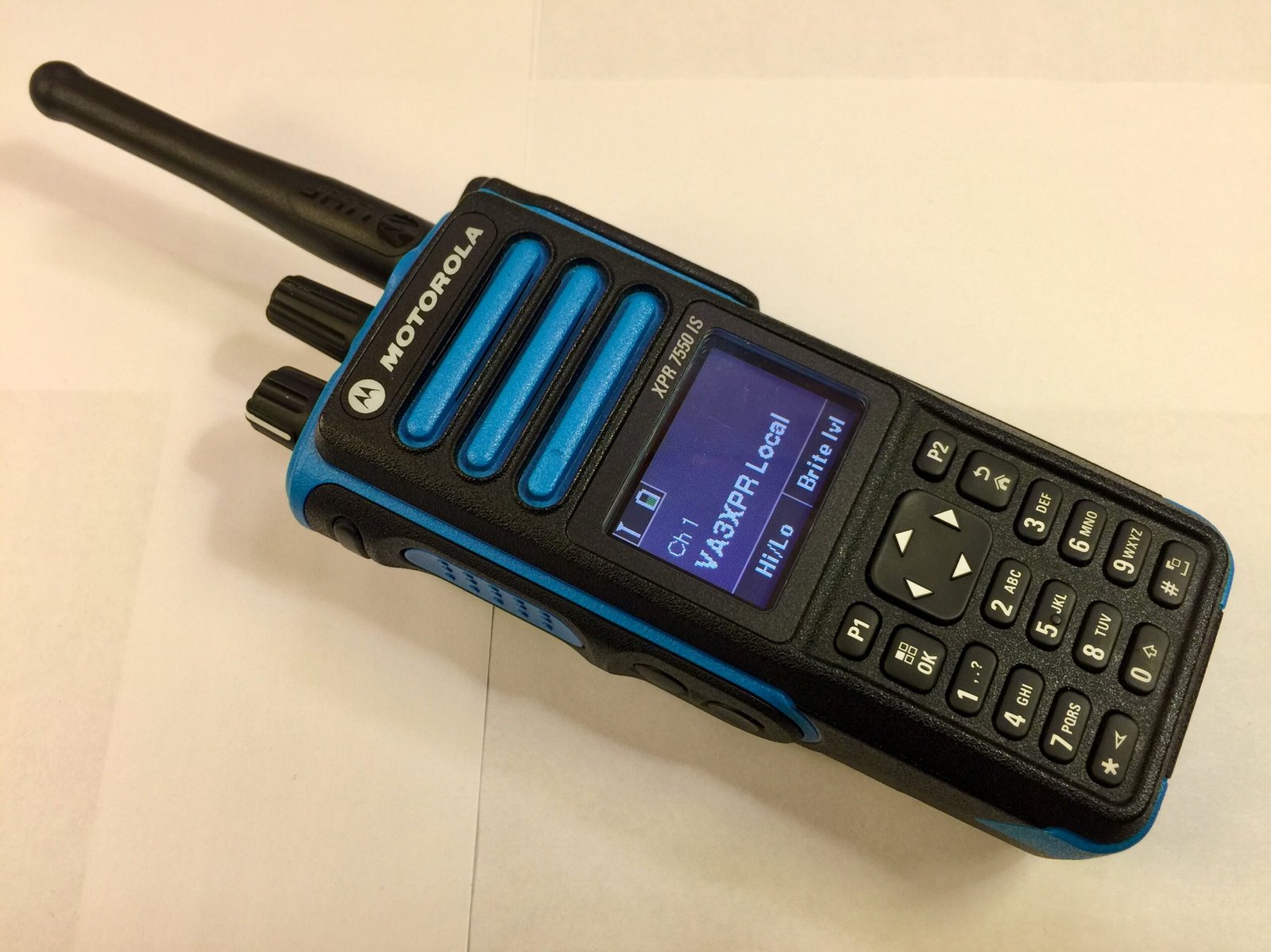
DMR for Beginners - Motorola XPR-7550IS commercial-grade handheld DMR radio for experienced ham-radio operators
The Motorola XPR-7550IS – a rugged commercial-grade handheld featured in our DMR for Beginners guide for hams who need advanced performance and durability.

3 Get Your DMR ID

Before you can key up on a DMR network, you’ll need a DMR ID – a unique numeric ID linked to your callsign so that your name and call appear on other operators’ screens.
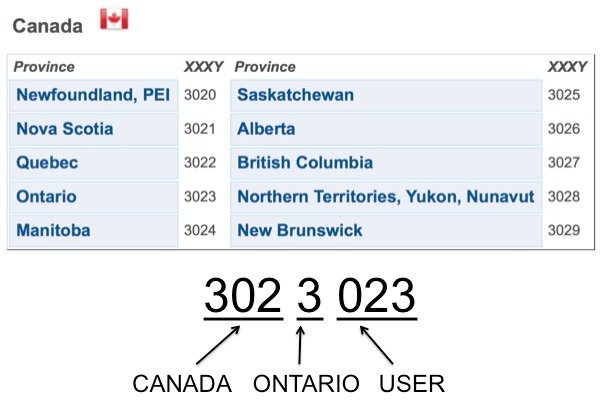
DMR for Beginners - infographic illustrating the structure of a DMR ID with country, region, and user digits for Canadian provinces
Infographic showing how a DMR ID is structured – an essential step explained in our DMR for Beginners guide for new ham-radio operators.

Head over to RadioID.net and register an account. You’ll upload a scan of your amateur radio license, then wait a day or two for approval. Once you have your DMR ID, keep it handy for programming later.

4 Setting Up the Programming Software

Unlike analog rigs that you can program entirely from the keypad, DMR radios use codeplugs, which are configuration files that store all your frequencies, channels, talkgroups, and button assignments.
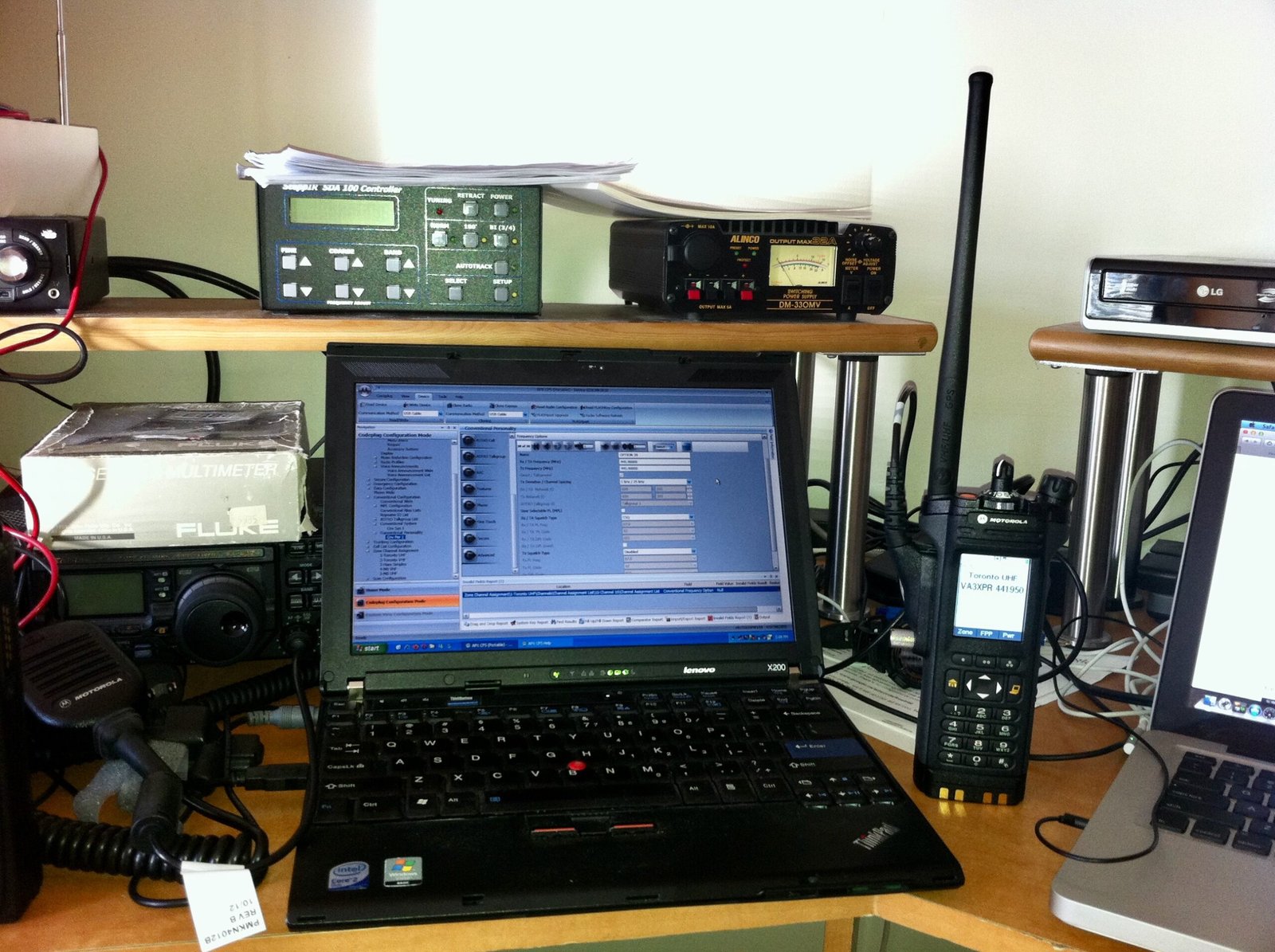
DMR for Beginners - handheld digital ham radio being programmed on a laptop using Customer Programming Software (CPS)
A handheld digital ham radio connected to a laptop running Customer Programming Software (CPS) – an important step for new operators featured in our DMR for Beginners guide.

Download the Customer Programming Software (CPS) from your radio’s manufacturer, install it on your computer (most require Windows), and plug in your radio with the programming cable. The first thing to do is read and save the existing codeplug so you can restore it if something goes wrong.

5 Finding Your Local DMR Repeaters

If you don’t have an existing codeplug you can use, then you you’ll need to know where you can actually reach the network. Check RepeaterBook.com, your local club’s website, or the repeater map on the RadioID.net to find DMR repeaters in your area.
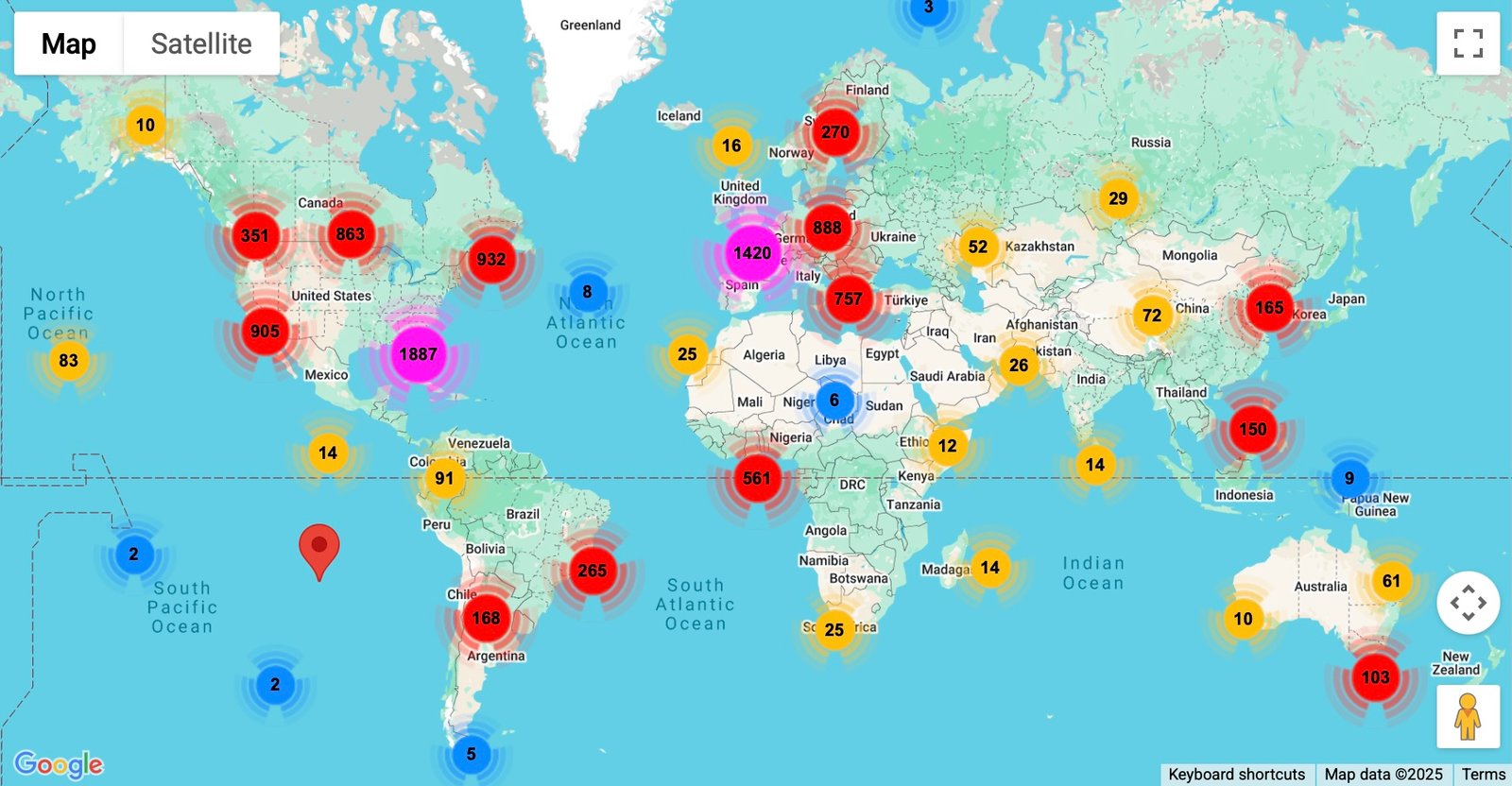
DMR for Beginners - interactive global DMR repeater map screenshot showing repeater clusters worldwide, courtesy of RadioID.net
Global DMR repeater map showing active repeaters worldwide – a valuable resource featured in our DMR for Beginners guide. Photo credit: RadioID.net

Make a note of each repeater’s frequency, color code (like a digital version of CTCSS), which timeslot is used for which talkgroups, and the names or numbers of the talkgroups you’re interested in.

6 Building Your First Codeplug

Armed with that information, you can start programming. Create a contact list of the talkgroups you plan to use – maybe TG 91 (Worldwide), TG 302 (Canada), and your local club TG. Then build channels by pairing each repeater’s frequency, color code, timeslot, and talkgroup.
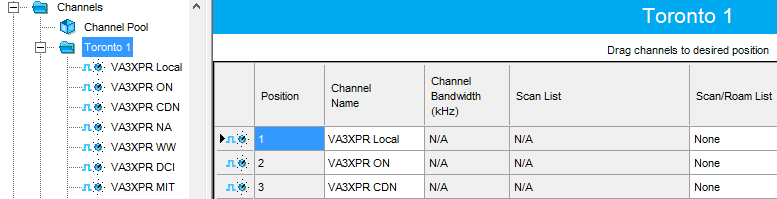
DMR for Beginners - screenshot showing a code-plug being created in Motorola MOTOTRBO programming software with channels for Toronto repeaters
Screenshot of a code-plug being built in Motorola MOTOTRBO programming software – an essential step highlighted in our DMR for Beginners guide.

Most radios also use zones, which are essentially folders of channels that make it easier to navigate, for example a “Local DMR” zone for your city and a “Travel” zone for nearby regions. Once your basic channels and zones are ready, write the codeplug to your radio.

Pro Tip: Many clubs share codeplugs for popular radios. Downloading one of these can save you hours of work.

7 Making Your First Digital QSO

Now comes the fun part – getting on the air!

Before you call CQ, try the Parrot talkgroup (often TG 9990 on many BrandMeister repeaters and hotspots). When you key up on Parrot talkgroup and speak, the network plays your audio back to you a few seconds later. If you hear your own voice echo back, you know your radio, codeplug, and network connection are all working properly.
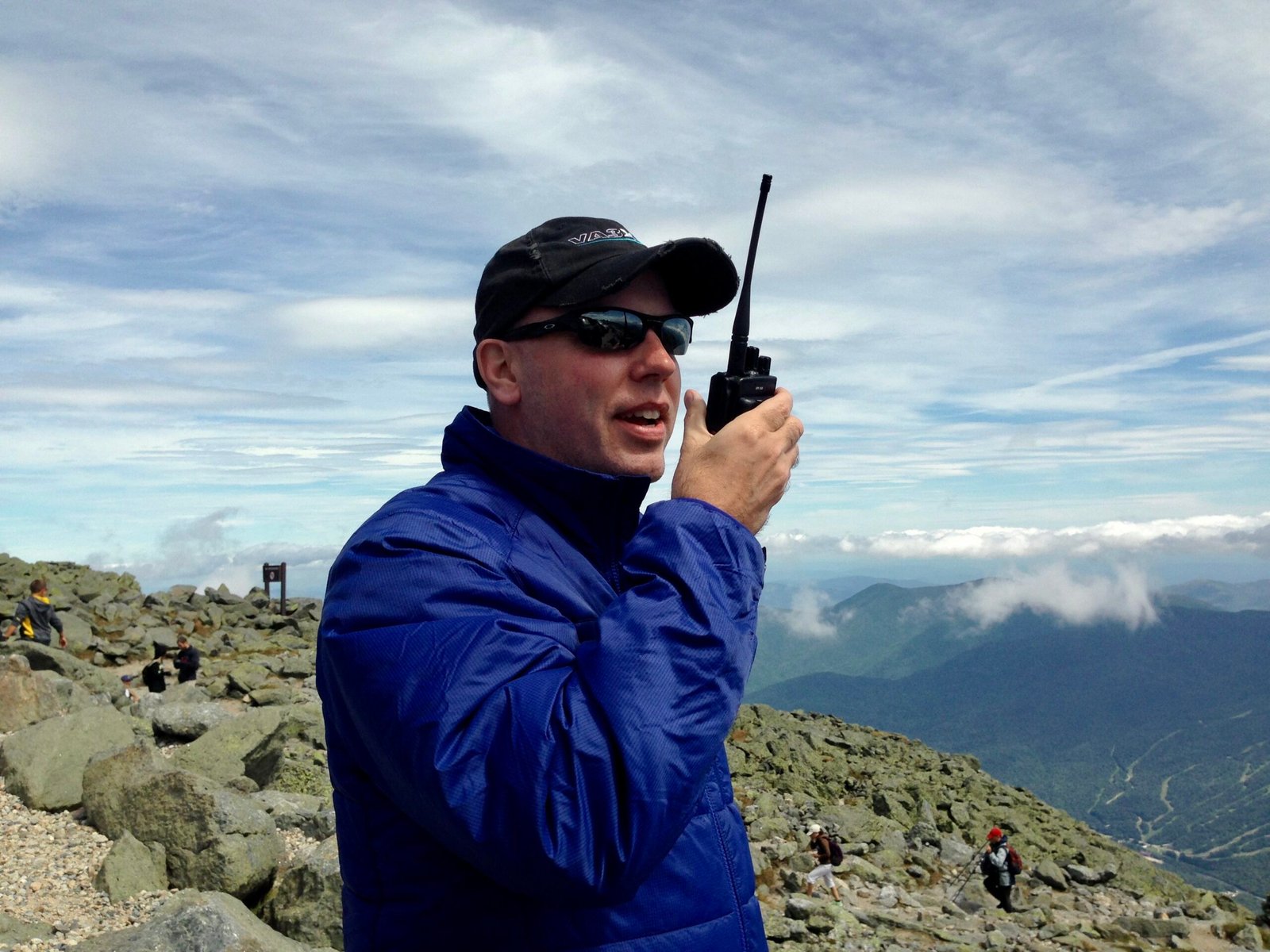
DMR for Beginners - Don Trynor from EvoHam.com operating a handheld DMR radio during a QSO on the summit of Mount Washington, New Hampshire
Don Trynor, author of EvoHam.com, making a DMR QSO from the summit of Mount Washington, NH – a memorable on-air moment featured in our DMR for Beginners guide.

Once you’ve confirmed everything, pick an active talkgroup, listen for a moment to avoid doubling over someone, then key up and say:

“This is [your callsign], testing my new DMR radio. Any station copy?”

Chances are someone will answer and welcome you aboard the network—that’s your first digital contact, congratulations!

8 Going Beyond the Local Repeater

Once you’re comfortable, you’ll find that DMR isn’t limited to big club repeaters. Personal hotspots like the Pi-Star-based MMDVM, SharkRF OpenSpot, or BridgeCom SkyBridge let you connect to the network from anywhere with Wi-Fi, which perfect for use at home, at the cottage or while traveling.
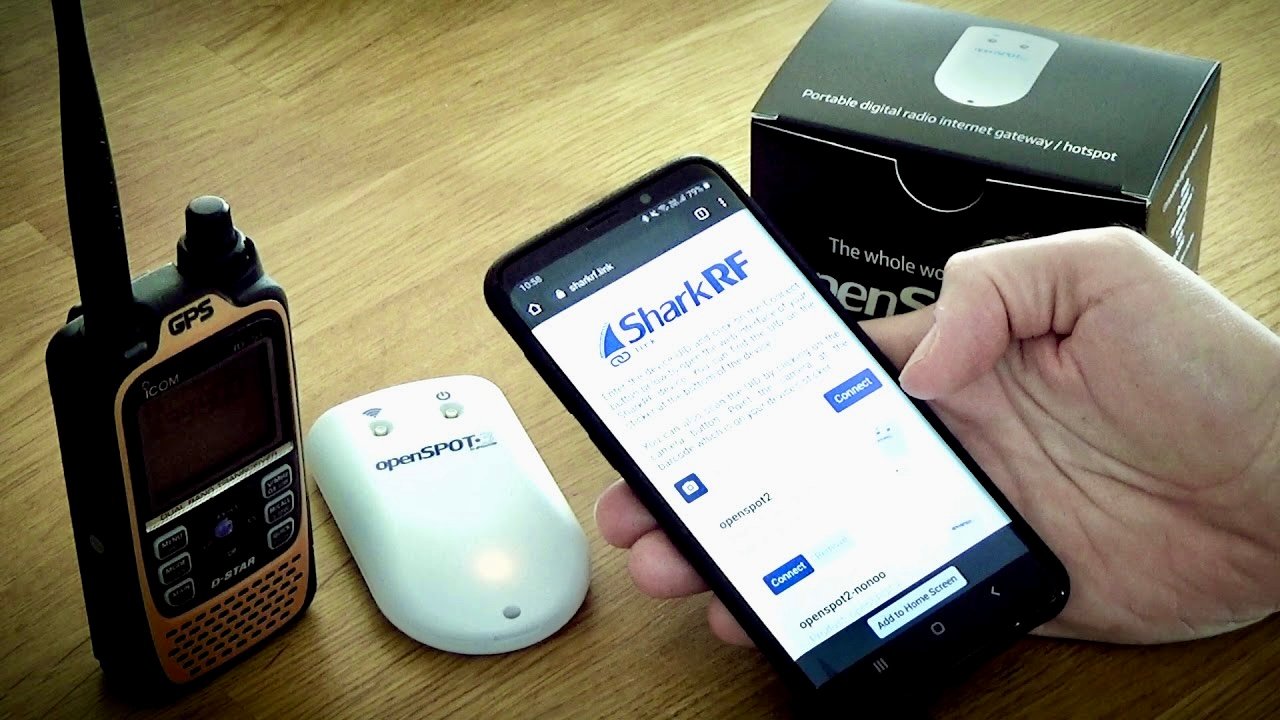
DMR for Beginners - SharkRF OpenSpot DMR hotspot connecting a handheld radio to talkgroups at home or while traveling
A DMR hotspot in use – shown here with a SharkRF OpenSpot device connecting a handheld radio to talkgroups from home or while traveling, featured in our DMR for Beginners guide. Photo credit: SharkRF

Some mobile radios even support roaming, which automatically selects the strongest repeater as you drive through different coverage areas. You can also experiment with other networks such as TGIF for a different variety of talkgroups.

9 A Word on DMR Etiquette

DMR is a shared resource, so good operating habits keep things smooth for everyone. Avoid “kerchunking” (keying up without ID), keep transmissions reasonably short, and pause between overs to let the network link or unlink talkgroups. And of course, always identify with your callsign as required by your country’s amateur-radio regulations.
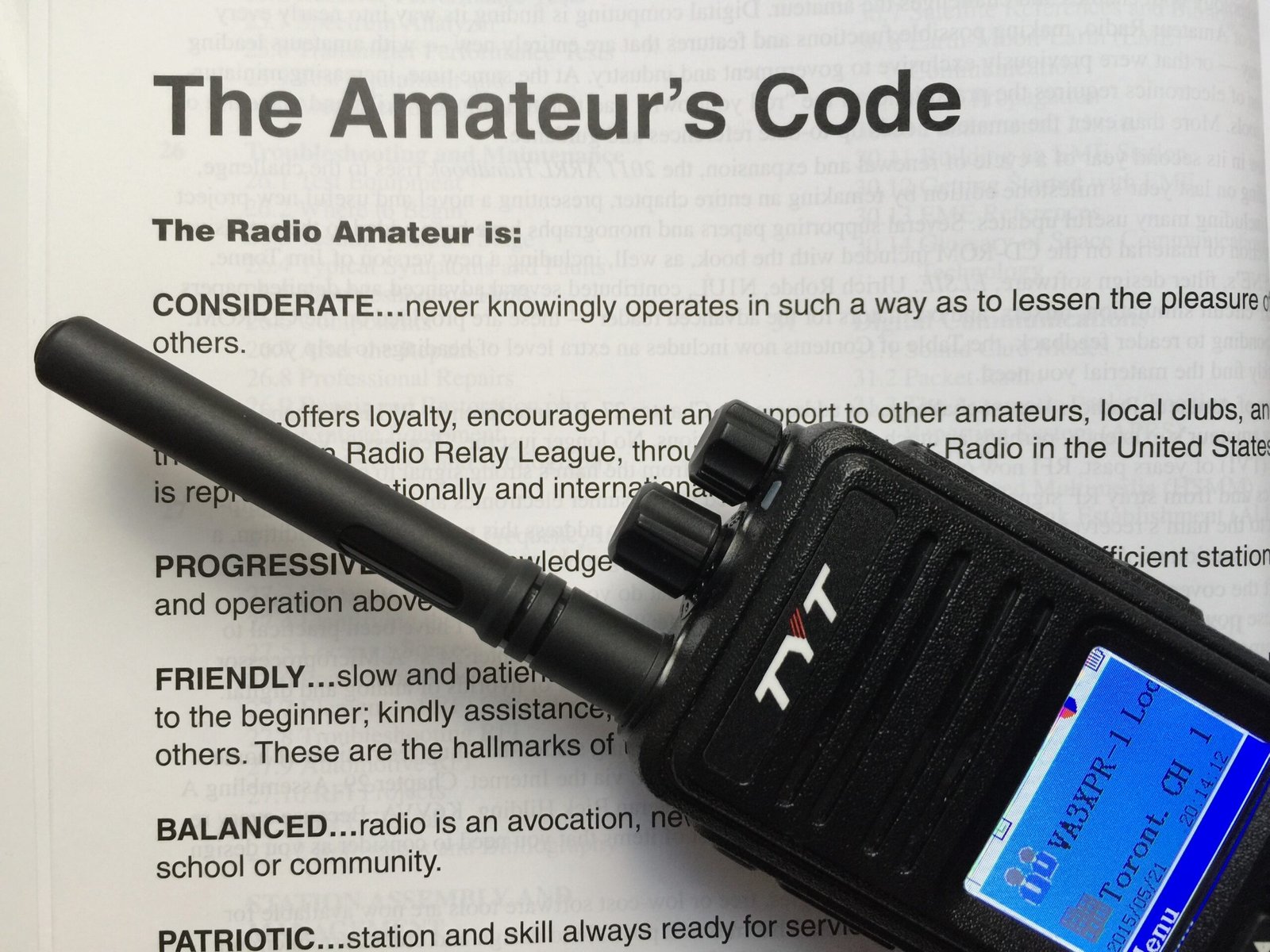
DMR for Beginners - handheld DMR radio placed on the Amateur’s Code booklet highlighting on-air etiquette and best practices for ham-radio operators
A DMR handheld radio resting on a printed copy of the Amateur’s Code – reminding all operators in our DMR for Beginners guide that good etiquette and respectful conduct remain timeless on the air.

For further guidance, it’s worth revisiting the timeless Amateur’s Code, first written by Paul M. Segal, W9EEA, in 1928. Its principles—being considerate, loyal, progressive, friendly, balanced, and patriotic—still serve as a benchmark for how we conduct ourselves on the air. Applying these values to DMR ensures our conversations remain courteous, helpful, and enjoyable for everyone who shares the network.

10 Keep Learning

As you gain experience, you can try advanced features like GPS and APRS over DMR, short text messaging, Bluetooth programming, or firmware updates that unlock new functions. These extras aren’t essential to get started, but they’re fun ways to grow with the mode.

11 Final Thoughts

Getting on DMR can seem a little intimidating at first – especially compared to the simplicity of a VHF analog FM radio, but once you break it into steps, it’s very manageable. Secure your DMR ID, program a handful of repeaters and talkgroups, and you’ll be making worldwide contacts in no time.

DMR has helped bring fresh energy to ham radio, and joining in is one of the best ways to see how digital voice is shaping the hobby’s future.

You Might Also Like

  • DMR vs Fusion vs D-Star: How to Choose the Right Digital Ham Radio Mode
  • Analog vs Digital Voice: Key Differences Every Ham Should Know
  • What Is Digital Voice in Ham Radio? A Complete Beginner’s Guide


Some links in this story are affiliate links. If you choose to buy through them, EvoHam may earn a small commission – at no extra cost to you. It helps support more stories like this.

Tags: BeginnerDMRRadioID.netRepeaterBook
Don Trynor, VA3XFT

Don Trynor, VA3XFT

A licensed amateur radio operator since 1988, Don brings over 15 years of professional experience in telecommunications. A lifelong digital communications enthusiast, he channels that passion into EvoHam.com - a site dedicated to digital voice technologies in amateur radio. When he’s not testing new radios, Don enjoys hiking, kayaking, and exploring the science behind the world’s wonders.

Related Posts

A row of DMR handheld radios from Motorola, Hytera, AnyTone, BFDX, and Radioddity displayed on a desk - perfect for illustrating What Is DMR in Ham Radio.
DMR Guides

What Is DMR in Ham Radio? Time Slots, Color Codes & More

November 3, 2025
Screenshot of the DMR-MARC website showing the Motorola Amateur Radio Club Worldwide Network homepage.
DMR Guides

What Is DMR-MARC? The Original DMR Backbone for Hams

November 3, 2025
BrandMeister DMR logo showing the global amateur radio digital network name
DMR Guides

What Is BrandMeister DMR? How Hams Connect Worldwide

November 3, 2025
Hytera TD580 DMR handheld radio showing 441.000 MHz DMR simplex frequency on its display for ham radio use.
DMR Guides

DMR Simplex Frequencies: Your Complete Ham Radio Guide

November 11, 2025
Next Post
TYT MD-UV380 dual-band DMR handheld radio front view with MD-380 and MD-2017 models in background.

TYT MD-UV380 Review (2025): Reliable Dual-Band DMR Value

Trending.

Hytera TD580 DMR handheld radio showing 441.000 MHz DMR simplex frequency on its display for ham radio use.

DMR Simplex Frequencies: Your Complete Ham Radio Guide

November 11, 2025
RF coverage map showing predicted signal strength and coverage area from a central transmitter location created with Radio Mobile Online.

RF Coverage Maps: Create Like a Pro in 3 Easy Steps

November 3, 2025
DMR for Beginners - Radioddity GD-77 and AnyTone AT-D878UV handheld radios side-by-side on a white background

DMR for Beginners: A Step-by-Step Guide for New Hams

November 3, 2025
TYT MD-390 handheld radio supporting the open-source M17 protocol, shown in the EvoHam guide M17 for Beginners for amateur radio operators.

M17 for Beginners: A Step-by-Step Guide for New Hams

November 12, 2025
Fusion for Beginners - Yaesu System Fusion radios including FT-70DR handheld, FTM-300DR mobile, and DR-1 repeater.

Fusion for Beginners: A Step-by-Step Guide for New Hams

November 3, 2025
EvoHam

We bring you the best guides, reviews, and resources for modern amateur radio. Discover the latest in DMR, Fusion, and D-STAR technology - all in one trusted place.

FOLLOW US

ARCHIVE

  • November 2025
  • October 2025
  • September 2025
  • February 2025
  • December 2024
  • November 2024

LATEST NEWS

  • DMR Programming Software and Firmware for Ham Radios
  • NXDN for Beginners: A Ham Radio Digital Voice Primer
  • P25 for Beginners: Understanding Project 25 Digital Voice
  • How We Test and Review Products at EvoHam

NEWSLETTER

  • About EvoHam
  • Privacy Policy
  • Affiliate Disclosure
  • Terms of Service
  • Contact

Copyright © 2024 EvoHam. All rights reserved.

No Result
View All Result
  • Home
  • News
    • DMR News
    • Yaesu Fusion News
    • D-STAR News
    • Equipment News
    • Operating News
    • FreeDV News
    • M17 News
    • P25 News
  • Reviews
    • DMR
    • Yaesu Fusion
    • D-STAR
    • P25
    • NXDN
    • Portable Radios
    • Mobile Radios
    • Hotspots
    • Repeaters
  • Guides
    • DMR Guides
    • FreeDV Guides
    • Operating Guides
    • YAESU FUSION
    • D-STAR
    • P25
    • M17 Guides
    • NXDN
    • Destination Guides
    • Repeater Guides
    • Software & Programming Guides
  • Resources
    • DMR Resources
    • Yaesu Fusion Resources
    • D-STAR Resources
    • NXDN Resources
    • P25 Resources
  • Editorial

Copyright © 2024 EvoHam. All rights reserved.