• About EvoHam
  • Contact Us
Evoham.com
  • Home
  • News
    • All
    • D-STAR News
    • DMR News
    • Equipment News
    • FreeDV News
    • M17 News
    • Operating News
    • Yaesu Fusion News
    Laptop screen showing the EvoHam.com website open in a web browser, highlighting the site’s launch.

    EvoHam.com Is Live – And We’re Just Getting Started

    Smartphone displaying SmartSDR waterfall and spectrum view, illustrating early FreeDV 2.1.0 SmartSDR support.

    FreeDV 2.1.0 Release Adds SmartSDR Support

    Prototype M17 LinHT Handheld on a test bench connected to RF test equipment during development.

    M17 LinHT Handheld: Open-Source Radio Progress Update

    NEW RADIO, DMR, D-STAR, C4FM, System Fusion, mobile, radio, ham radio, amateur radio, VA3XPR, dual-band, multi-mode, FM, chassis

    New Radio (2016): Multimode Ham Radio for DMR, D-STAR & C4FM

    FreeDV 2.0.2 user interface showing the RADEV1 digital voice modem and live HF signal waterfall.

    FreeDV 2.0.2 Release: Open-Source HF Digital Voice Update

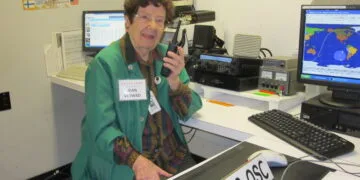
    Jean Moffett, VE3WAD, operating a Digital Mobile Radio (DMR) setup at the Ontario Science Centre amateur radio station, demonstrating the technology to visitors.

    Ontario Science Centre Revolutionizes Ham Radio with DMR

    • DMR News
    • Yaesu Fusion News
    • D-STAR News
    • Equipment News
    • Operating News
    • FreeDV News
    • M17 News
    • P25 News
  • Reviews
    • All
    • DMR Reviews
    • Mobile Radio Reviews
    • P25 Reviews
    • Portable Radio Reviews
    • Yaesu Fusion Reviews
    Hytera PD782 UHF DMR handheld showing colour LCD display and keypad

    Hytera PD782 Review (2025): Rugged Mid-Tier DMR Radio

    Yaesu FT2DR review - dual-band C4FM Fusion handheld radio showing touchscreen display

    Yaesu FT2DR Review (2025): Still Worth It Today?

    TYT MD-380 DMR handheld radio showing its colour LCD display and keypad.

    TYT MD-380 Review (2025): A DMR Classic Revisited

    Front view of the Motorola SL300 DMR radio showing its slim design and matrix LED display.

    Motorola SL300 Review (2025): Pocket-Sized DMR Performance

    Motorola XPR7550 IS DMR handheld radio showing blue Intrinsically Safe housing and colour LCD display

    Motorola XPR7550 IS Review (2025): Intrinsically Safe DMR

    Motorola SL7550 UHF DMR handheld radio showing colour LCD screen and keypad layout

    Motorola SL7550 Review (2025): Ultra-Slim DMR Handheld

    • DMR
    • Yaesu Fusion
    • D-STAR
    • P25
    • NXDN
    • Portable Radios
    • Mobile Radios
    • Hotspots
    • Repeaters
  • Guides
    • All
    • D-STAR Guides
    • DMR Guides
    • Experimental & SDR Radio Guides
    • FreeDV Guides
    • M17 Guides
    • NXDN Guides
    • Operating Guides
    • P25 Guides
    • Repeater Guides
    • TETRA Guides
    • Yaesu Fusion Guides
    NA5B WebSDR interface with HF waterfall display, illustrating what users see when listening to FreeDV using a FreeDV WebSDR. Photo credit: NA5B

    FreeDV WebSDR: Listen to FreeDV Online Without an HF Radio

    Prototype LinHT Linux-based SDR handheld radio displayed with members of the development team. Photo credit: CQ DL / DARC

    LinHT for Beginners: A Linux-Based Experimental SDR Radio

    TETRA for Beginners example of a Motorola MTP8000Ex Series TETRA portable radio used aboard a German navy vessel

    TETRA for Beginners: A Trunked System Adapted for Ham Radio

    Yaesu System Fusion radio being programmed, illustrating ham radio digital voice terminology and digital mode setup

    Ham Radio Digital Voice Terminology Explained for Beginners

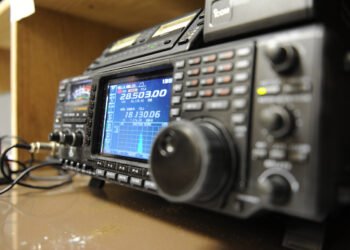
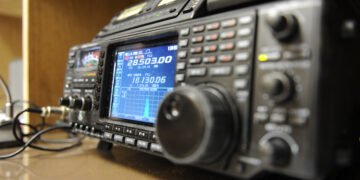
    HF radio displaying an SSB spectrum, used for operating FreeDV Frequencies on amateur HF bands. U.S. Air Force photo by Airman 1st Class Omari Bernard.

    FreeDV Frequencies (HF): Where to Call on 20m, 40m & 80m

    Yaesu FT-950 HF transceiver tuned for digital voice operation using FreeDV, shown as the hero image for the FreeDV for Beginners guide.

    FreeDV for Beginners: How to Use Digital Voice on HF

    • DMR Guides
    • FreeDV Guides
    • Operating Guides
    • YAESU FUSION
    • D-STAR
    • P25
    • M17 Guides
    • NXDN
    • Destination Guides
    • Repeater Guides
    • Software & Programming Guides
  • Resources
    • All
    • DMR Resources
    • Firmware Resources
    • FreeDV Resources
    • Mapping Software
    • Programming Software Resources
    • RF Tools
    • Simplex Frequency Resources
    HF radio displaying an SSB spectrum, used for operating FreeDV Frequencies on amateur HF bands. U.S. Air Force photo by Airman 1st Class Omari Bernard.

    FreeDV Frequencies (HF): Where to Call on 20m, 40m & 80m

    Baofeng DM32UV and AnyTone AT-D878UVII Plus handheld radios beside a laptop running DMR Programming Software.

    DMR Programming Software and Firmware for Ham Radios

    Hytera TD580 DMR handheld radio showing 441.000 MHz DMR simplex frequency on its display for ham radio use.

    DMR Simplex Frequencies Explained: CCs, Talkgroups & Use

    RF coverage map showing predicted signal strength and coverage area from a central transmitter location created with Radio Mobile Online.

    How to Create RF Coverage Maps Using Radio Mobile

    • DMR Resources
    • Yaesu Fusion Resources
    • D-STAR Resources
    • NXDN Resources
    • P25 Resources
  • Editorial
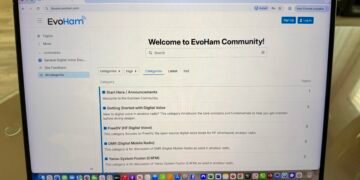
    A laptop showing the EvoHam Community ham radio digital voice forum with categories for FreeDV, DMR and Yaesu System Fusion.

    Join the EvoHam Community: A Ham Radio Digital Voice Forum

    International Space Station orbiting above Earth at sunrise, illustrating the context for the ISS digital voice discussion. Photo by ESA.

    ISS Digital Voice: Why It Isn’t Here Yet – and What’s Next

    Digital voice handheld radio sitting on top of the original Radio Amateur’s Code document.

    The Modern Radio Amateur’s Code

    Don Trynor VA3XFT working on EvoHam ham radio digital voice content at a laptop with a DMR handheld radio on the table.

    Why EvoHam Exists – A New Home for Ham Radio Digital Voice

  • Community
No Result
View All Result
  • Home
  • News
    • All
    • D-STAR News
    • DMR News
    • Equipment News
    • FreeDV News
    • M17 News
    • Operating News
    • Yaesu Fusion News
    Laptop screen showing the EvoHam.com website open in a web browser, highlighting the site’s launch.

    EvoHam.com Is Live – And We’re Just Getting Started

    Smartphone displaying SmartSDR waterfall and spectrum view, illustrating early FreeDV 2.1.0 SmartSDR support.

    FreeDV 2.1.0 Release Adds SmartSDR Support

    Prototype M17 LinHT Handheld on a test bench connected to RF test equipment during development.

    M17 LinHT Handheld: Open-Source Radio Progress Update

    NEW RADIO, DMR, D-STAR, C4FM, System Fusion, mobile, radio, ham radio, amateur radio, VA3XPR, dual-band, multi-mode, FM, chassis

    New Radio (2016): Multimode Ham Radio for DMR, D-STAR & C4FM

    FreeDV 2.0.2 user interface showing the RADEV1 digital voice modem and live HF signal waterfall.

    FreeDV 2.0.2 Release: Open-Source HF Digital Voice Update

    Jean Moffett, VE3WAD, operating a Digital Mobile Radio (DMR) setup at the Ontario Science Centre amateur radio station, demonstrating the technology to visitors.

    Ontario Science Centre Revolutionizes Ham Radio with DMR

    • DMR News
    • Yaesu Fusion News
    • D-STAR News
    • Equipment News
    • Operating News
    • FreeDV News
    • M17 News
    • P25 News
  • Reviews
    • All
    • DMR Reviews
    • Mobile Radio Reviews
    • P25 Reviews
    • Portable Radio Reviews
    • Yaesu Fusion Reviews
    Hytera PD782 UHF DMR handheld showing colour LCD display and keypad

    Hytera PD782 Review (2025): Rugged Mid-Tier DMR Radio

    Yaesu FT2DR review - dual-band C4FM Fusion handheld radio showing touchscreen display

    Yaesu FT2DR Review (2025): Still Worth It Today?

    TYT MD-380 DMR handheld radio showing its colour LCD display and keypad.

    TYT MD-380 Review (2025): A DMR Classic Revisited

    Front view of the Motorola SL300 DMR radio showing its slim design and matrix LED display.

    Motorola SL300 Review (2025): Pocket-Sized DMR Performance

    Motorola XPR7550 IS DMR handheld radio showing blue Intrinsically Safe housing and colour LCD display

    Motorola XPR7550 IS Review (2025): Intrinsically Safe DMR

    Motorola SL7550 UHF DMR handheld radio showing colour LCD screen and keypad layout

    Motorola SL7550 Review (2025): Ultra-Slim DMR Handheld

    • DMR
    • Yaesu Fusion
    • D-STAR
    • P25
    • NXDN
    • Portable Radios
    • Mobile Radios
    • Hotspots
    • Repeaters
  • Guides
    • All
    • D-STAR Guides
    • DMR Guides
    • Experimental & SDR Radio Guides
    • FreeDV Guides
    • M17 Guides
    • NXDN Guides
    • Operating Guides
    • P25 Guides
    • Repeater Guides
    • TETRA Guides
    • Yaesu Fusion Guides
    NA5B WebSDR interface with HF waterfall display, illustrating what users see when listening to FreeDV using a FreeDV WebSDR. Photo credit: NA5B

    FreeDV WebSDR: Listen to FreeDV Online Without an HF Radio

    Prototype LinHT Linux-based SDR handheld radio displayed with members of the development team. Photo credit: CQ DL / DARC

    LinHT for Beginners: A Linux-Based Experimental SDR Radio

    TETRA for Beginners example of a Motorola MTP8000Ex Series TETRA portable radio used aboard a German navy vessel

    TETRA for Beginners: A Trunked System Adapted for Ham Radio

    Yaesu System Fusion radio being programmed, illustrating ham radio digital voice terminology and digital mode setup

    Ham Radio Digital Voice Terminology Explained for Beginners

    HF radio displaying an SSB spectrum, used for operating FreeDV Frequencies on amateur HF bands. U.S. Air Force photo by Airman 1st Class Omari Bernard.

    FreeDV Frequencies (HF): Where to Call on 20m, 40m & 80m

    Yaesu FT-950 HF transceiver tuned for digital voice operation using FreeDV, shown as the hero image for the FreeDV for Beginners guide.

    FreeDV for Beginners: How to Use Digital Voice on HF

    • DMR Guides
    • FreeDV Guides
    • Operating Guides
    • YAESU FUSION
    • D-STAR
    • P25
    • M17 Guides
    • NXDN
    • Destination Guides
    • Repeater Guides
    • Software & Programming Guides
  • Resources
    • All
    • DMR Resources
    • Firmware Resources
    • FreeDV Resources
    • Mapping Software
    • Programming Software Resources
    • RF Tools
    • Simplex Frequency Resources
    HF radio displaying an SSB spectrum, used for operating FreeDV Frequencies on amateur HF bands. U.S. Air Force photo by Airman 1st Class Omari Bernard.

    FreeDV Frequencies (HF): Where to Call on 20m, 40m & 80m

    Baofeng DM32UV and AnyTone AT-D878UVII Plus handheld radios beside a laptop running DMR Programming Software.

    DMR Programming Software and Firmware for Ham Radios

    Hytera TD580 DMR handheld radio showing 441.000 MHz DMR simplex frequency on its display for ham radio use.

    DMR Simplex Frequencies Explained: CCs, Talkgroups & Use

    RF coverage map showing predicted signal strength and coverage area from a central transmitter location created with Radio Mobile Online.

    How to Create RF Coverage Maps Using Radio Mobile

    • DMR Resources
    • Yaesu Fusion Resources
    • D-STAR Resources
    • NXDN Resources
    • P25 Resources
  • Editorial
    A laptop showing the EvoHam Community ham radio digital voice forum with categories for FreeDV, DMR and Yaesu System Fusion.

    Join the EvoHam Community: A Ham Radio Digital Voice Forum

    International Space Station orbiting above Earth at sunrise, illustrating the context for the ISS digital voice discussion. Photo by ESA.

    ISS Digital Voice: Why It Isn’t Here Yet – and What’s Next

    Digital voice handheld radio sitting on top of the original Radio Amateur’s Code document.

    The Modern Radio Amateur’s Code

    Don Trynor VA3XFT working on EvoHam ham radio digital voice content at a laptop with a DMR handheld radio on the table.

    Why EvoHam Exists – A New Home for Ham Radio Digital Voice

  • Community
No Result
View All Result
EvoHam
No Result
View All Result
Home Guides FreeDV Guides
NA5B WebSDR interface with HF waterfall display, illustrating what users see when listening to FreeDV using a FreeDV WebSDR. Photo credit: NA5B

The NA5B WebSDR showing the 20M HF band and waterfall display, representative of the WebSDR interfaces used when listening to FreeDV via a FreeDV WebSDR setup. Photo credit: NA5B

FreeDV WebSDR: Listen to FreeDV Online Without an HF Radio

What’s possible today, which WebSDRs support FreeDV decoding, and how to try it yourself.

Don Trynor, VA3XFT by Don Trynor, VA3XFT
January 8, 2026
Share on FacebookShare on TwitterShare on LinkedInShare on RedditShare on ThreadsShare on WhatsApp

Table of Contents

  • 1. What Is a WebSDR?
  • 2. Do Any FreeDV WebSDRs Decode in the Browser?
  • 3. Known FreeDV WebSDRs
  • 4. Option B: Use Any WebSDR and Decode FreeDV Locally
  • 5. What You Need to Know Before You Try
  • 6. Frequently Asked Questions
  • 7. Submit a FreeDV WebSDR for This List
  • 8. Related Reading on EvoHam

FreeDV is an open-source digital voice mode for HF. While newer modes like RADE (Radio Autoencoder) are emerging, established modes such as 700D and 700E are still widely used today. For a full introduction to how FreeDV works, see the FreeDV for Beginners guide.

A common question from newcomers is: “Can I try FreeDV without owning an HF radio?”

One of the easiest ways to do that is by using a FreeDV WebSDR setup – in other words, listening to FreeDV signals using a WebSDR, which is a shared radio receiver you can tune directly in your web browser.

Here’s the honest reality: WebSDRs with built-in FreeDV decoding are still rare. Most WebSDRs only let you listen to the audio, which means you’ll usually need to decode FreeDV locally using your own software (more on that below).

1 What Is a WebSDR?

A WebSDR is a radio receiver connected to the Internet that allows multiple users to listen to HF, VHF, or UHF radio signals through a web browser. Instead of using your own antenna and receiver, you’re tuning a real radio located somewhere else in the world.

Most public WebSDRs are operated by radio amateurs, clubs, universities, or community groups. They’re typically offered as a free service to support learning, experimentation, and casual listening, and they rely on shared infrastructure and volunteer effort.

WebSDRs are especially useful for:

  • Listening to bands you can’t hear from your own location
  • Trying new modes before investing in equipment
  • Comparing propagation between regions
  • Following nets, beacons, and scheduled activity

It’s important to remember that WebSDRs are receive-only. You’re not transmitting, and you’re not required to hold an amateur radio licence to listen. However, because these receivers are shared, performance and available features depend on how the system is configured and how many people are using it at the same time.

Some WebSDRs use wideband SDR hardware that allows many users to tune independently, while others rely on a single shared receiver. In the latter case, changing bands or profiles may affect other listeners.

WebSDRs are hosted all over the world. A global map of WebSDRs makes it easy to find receivers near you—or in regions where HF propagation to your area is currently better.

Global map of public WebSDR locations worldwide, illustrating where receivers are hosted for listening to FreeDV using a FreeDV WebSDR.
Global map showing the geographic distribution of public WebSDRs worldwide, commonly used when listening to FreeDV via a FreeDV WebSDR setup. Photo credit: World of Receivers and Transmitters

2 Do Any FreeDV WebSDRs Decode in the Browser?

Sometimes. A small number of OpenWebRX-based WebSDRs have been configured with a FreeDV decoder available directly in the browser interface, allowing users to listen to decoded digital voice without running any additional software locally.

However, most public WebSDRs do not offer built-in FreeDV decoding. There are several practical reasons for this, and they’re not specific to FreeDV alone.

First, FreeDV decoding requires additional processing beyond simple audio streaming. While listening to SSB audio is relatively lightweight, decoding digital voice involves running codec and error-correction algorithms in real time. Newer modes such as RADE (Radio Autoencoder) can be particularly CPU-intensive, which makes them challenging to support on low-power or shared servers.

Second, many WebSDRs are designed primarily for general listening and experimentation rather than for supporting specific digital modes. Operators often prioritize wide coverage, stability, and multi-user access over adding specialized decoders that may only be used by a small subset of listeners.

There are also operational considerations. Public WebSDRs are usually volunteer-run and offered free of charge. Adding and maintaining digital voice decoders increases system complexity, requires ongoing updates, and can introduce new failure modes – especially when multiple users attempt to decode signals simultaneously.

As a result, WebSDRs with built-in FreeDV decoding tend to be experimental, community-focused projects rather than large, general-purpose receivers. This is why FreeDV-capable WebSDRs remain uncommon, even though the technology itself is mature and actively developed.

3 Known FreeDV WebSDRs

This list of FreeDV WebSDRs is intentionally short. We’re only including WebSDRs that we can verify as having built-in FreeDV decoding available to listeners. If you know others, please send them to us and we’ll expand this page.

WebSDRLocationWeb LinkNotes
Nepean Men’s Shed OpenWebRXWestern Sydney, AustraliaLinkShared receiver - band changes can disrupt other listeners.
Nepean MensShed FreeDV WebSDR interface showing the 20M HF band with RADEv1 digital voice signals visible in the waterfall display.
The Nepean MensShed FreeDV WebSDR running OpenWebRX, tuned to the 20M band with built-in FreeDV RADEv1 decoding enabled. Photo credit: Nepean MensShed

4 Option B: Use Any WebSDR and Decode FreeDV Locally

Even if a WebSDR doesn’t have a FreeDV mode button, you can often decode it yourself by piping the WebSDR’s audio into the FreeDV app on your computer. This is more technical, but it dramatically expands your options (because you can try many more receivers).

The exact setup depends on your operating system:

  • Linux: Many people route browser audio into FreeDV using PulseAudio tools.
  • Windows/macOS: Use a virtual audio cable / loopback device to route audio from your browser into FreeDV.

FreeDV contributors have also noted that it’s already possible to decode FreeDV from “random online OpenWebRX instances” by routing audio into the FreeDV application.

5 What You Need to Know Before You Try

Before tuning in, a few practical details will help you avoid frustration and improve your chances of successfully decoding a signal via a FreeDV WebSDR.

  • Mode matters: You must select the same FreeDV mode the station is transmitting (e.g., 700D vs RADE).
  • SSB settings matter: You’ll typically be listening in USB or LSB depending on band/custom, and tuning accuracy matters.
  • Signals can be sparse: FreeDV activity tends to cluster around “watering holes” and nets rather than being continuous.

6 Frequently Asked Questions

Do I need an amateur radio licence to use a WebSDR?
No. WebSDRs are receive-only, so you can listen without a licence. Licensing applies to transmitting, not listening.

Can I transmit FreeDV through a WebSDR?
No. WebSDRs are receive-only. To transmit FreeDV you’ll need your own station or a properly authorized remote station that allows transmitting.

Why don’t most WebSDRs have built-in FreeDV decoding?
Built-in decoding adds server load and complexity. Many WebSDRs are volunteer-run and optimized for general listening, so operators often avoid extra decoders that require ongoing maintenance or significant CPU – especially for newer modes like RADE.

What FreeDV mode should I try first?
If you’re new, start with the mode used by the station you’re receiving. In general, 700D is often more forgiving on weaker signals, while 700E can sound better when conditions are good. RADE may be available on some systems but can be more demanding.

Why can I hear audio but not decode anything?
Common causes include using the wrong FreeDV mode, being slightly off-frequency, the signal being too weak, or the FreeDV WebSDR audio being filtered or compressed. Try a stronger signal, re-check mode selection, and fine-tune your frequency.

Can I decode FreeDV from “any” WebSDR?
Sometimes. If you can route the WebSDR’s audio cleanly into the FreeDV application, decoding may work. Results vary by receiver audio quality, filters, and tuning accuracy.

Is changing bands or modes going to disrupt other listeners?
Usually not, but some WebSDRs use a shared receiver where band or profile changes can affect everyone. If a specific WebSDR has shared-receiver behavior, it’s noted in that WebSDR’s entry.

7 Submit a FreeDV WebSDR for This List

Know a public WebSDR with built-in FreeDV decoding, especially if it supports RADE? Send us the link and the modes it supports using our Contact Us page, and we’ll verify it and add it to the list above.

8 Related Reading on EvoHam

  • FreeDV for Beginners: Get Started with Digital Voice on HF
  • FreeDV Frequencies (HF): Where to Call on 20m, 40m & 80m
  • Ham Radio Digital Voice Terminology Explained for Beginners


Some links in this story are affiliate links. If you choose to buy through them, EvoHam may earn a small commission – at no extra cost to you. It helps support more stories like this.

Tags: FreeDVWebSDRWorld of Receivers and Transmitters
Don Trynor, VA3XFT

Don Trynor, VA3XFT

A licensed amateur radio operator since 1988, Don brings over 15 years of professional experience in telecommunications. A lifelong digital communications enthusiast, he channels that passion into EvoHam.com - a site dedicated to digital voice technologies in amateur radio. When he’s not testing new radios, Don enjoys hiking, kayaking, and exploring the science behind the world’s wonders.

Related Posts

TETRA for Beginners example of a Motorola MTP8000Ex Series TETRA portable radio used aboard a German navy vessel
TETRA Guides

TETRA for Beginners: A Trunked System Adapted for Ham Radio

January 13, 2026
Yaesu System Fusion radio being programmed, illustrating ham radio digital voice terminology and digital mode setup
Operating Guides

Ham Radio Digital Voice Terminology Explained for Beginners

December 19, 2025
HF radio displaying an SSB spectrum, used for operating FreeDV Frequencies on amateur HF bands. U.S. Air Force photo by Airman 1st Class Omari Bernard.
FreeDV Guides

FreeDV Frequencies (HF): Where to Call on 20m, 40m & 80m

January 8, 2026
Yaesu FT-950 HF transceiver tuned for digital voice operation using FreeDV, shown as the hero image for the FreeDV for Beginners guide.
FreeDV Guides

FreeDV for Beginners: How to Use Digital Voice on HF

January 13, 2026
Next Post
A laptop showing the EvoHam Community ham radio digital voice forum with categories for FreeDV, DMR and Yaesu System Fusion.

Join the EvoHam Community: A Ham Radio Digital Voice Forum

Popular Posts

Baofeng DM32UV and AnyTone AT-D878UVII Plus handheld radios beside a laptop running DMR Programming Software.

DMR Programming Software and Firmware for Ham Radios

January 8, 2026
Prototype LinHT Linux-based SDR handheld radio displayed with members of the development team. Photo credit: CQ DL / DARC

LinHT for Beginners: A Linux-Based Experimental SDR Radio

January 14, 2026
Yaesu FT-950 HF transceiver tuned for digital voice operation using FreeDV, shown as the hero image for the FreeDV for Beginners guide.

FreeDV for Beginners: How to Use Digital Voice on HF

January 13, 2026
Laptop screen showing the EvoHam.com website open in a web browser, highlighting the site’s launch.

EvoHam.com Is Live – And We’re Just Getting Started

November 20, 2025

Follow EvoHam

Join the EvoHam Community

Compare notes, ask questions, and learn how other hams are using FreeDV, DMR, Yaesu Fusion, D-STAR, M17 & more.

Explore the Community

A calm place to learn digital voice in amateur radio.

Join 2,000+ Hams on Facebook

EvoHam

EvoHam offers clear, practical guides, reviews, and resources for modern amateur radio - covering DMR, Yaesu Fusion, D-STAR, P25, NXDN, M17, FreeDV, and other digital voice modes. Everything you need, all in one trusted place.

FOLLOW US

ARCHIVE

  • January 2026
  • December 2025
  • November 2025
  • October 2025
  • September 2025
  • February 2025
  • December 2024

LATEST UPDATES

  • Join the EvoHam Community: A Ham Radio Digital Voice Forum
  • FreeDV WebSDR: Listen to FreeDV Online Without an HF Radio
  • LinHT for Beginners: A Linux-Based Experimental SDR Radio
  • TETRA for Beginners: A Trunked System Adapted for Ham Radio
  • About EvoHam
  • Contact
  • Privacy Policy
  • Affiliate Disclosure
  • Terms of Service

Copyright © 2026 EvoHam. All rights reserved.

No Result
View All Result
  • Home
  • News
    • DMR News
    • Yaesu Fusion News
    • D-STAR News
    • Equipment News
    • Operating News
    • FreeDV News
    • M17 News
    • P25 News
  • Reviews
    • DMR
    • Yaesu Fusion
    • D-STAR
    • P25
    • NXDN
    • Portable Radios
    • Mobile Radios
    • Hotspots
    • Repeaters
  • Guides
    • DMR Guides
    • FreeDV Guides
    • Operating Guides
    • YAESU FUSION
    • D-STAR
    • P25
    • M17 Guides
    • NXDN
    • Destination Guides
    • Repeater Guides
    • Software & Programming Guides
  • Resources
    • DMR Resources
    • Yaesu Fusion Resources
    • D-STAR Resources
    • NXDN Resources
    • P25 Resources
  • Editorial
  • Community

Copyright © 2026 EvoHam. All rights reserved.