






DMR is one of the most popular digital voice modes in amateur radio. This guide explains what DMR is in ham radio, explores its fascinating history, walks you through the core features – like time slots, color codes, and talkgroups, and introduces the DMR gear that keeps hams connected worldwide.
1 So, What is DMR?
If you’ve ever stood in front of a new DMR radio wondering why it’s asking for a color code or which time slot to pick, you’re not alone.
Digital Mobile Radio – better known simply as DMR, has opened the door for hams to make crystal-clear QSOs, link to worldwide networks, and even squeeze two conversations onto a single repeater channel. Yet, for newcomers, the jargon can feel like a puzzle.
In this article, we’ll take a friendly tour under the hood of DMR – covering its history, explaining key features such as time slots, color codes, and talkgroups, and helping you understand the types of DMR equipment available today.
By the end, you’ll know how all these pieces fit together so you can get on the air with confidence.
2 A Brief History of DMR
DMR was developed in the early 2000s by the European Telecommunications Standards Institute (ETSI). The goal was to create an open, vendor-neutral digital voice standard for professional land-mobile radio users such as public-safety agencies, utilities, and industrial fleets.
The first DMR standard was published in 2005 and introduced a two-slot TDMA (Time-Division Multiple Access) system that allowed two simultaneous digital conversations to share a single 12.5 kHz channel. This approach improved spectrum efficiency and helped radios achieve longer battery life compared to analog FM.
Commercial adoption followed quickly, with manufacturers such as Motorola (MOTOTRBO), Hytera, Vertex, and Tait producing compatible equipment. By the late 2000s, DMR had become a global commercial standard.
DMR’s Entry into Ham Radio
Around 2010, amateur radio operators began experimenting with surplus commercial DMR radios and discovered the advantages: clear audio, efficient repeater use, and the ability to link repeaters worldwide through talkgroups. Early pioneers in Europe and North America repurposed commercial UHF (70 cm) repeaters for amateur use, with VHF (2m) following soon after.
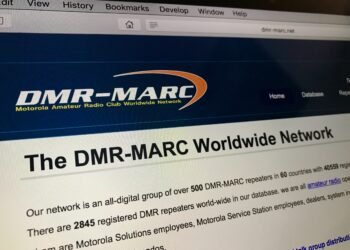
As DMR gained traction among hams, dedicated networks like DMR-MARC and later BrandMeister emerged to link repeaters across regions and continents. This gave hams the ability to hold global QSOs from a handheld radio.
Not long after, a wave of budget-friendly DMR radios hit the amateur market. Brands such as Connect Systems, TYT, Radioddity, and Anytone offered handhelds and mobiles at a fraction of the cost of commercial Motorola or Hytera gear. These affordable rigs dramatically lowered the barrier to entry, allowing thousands of operators to try DMR without a major investment and fueling its rapid growth in the amateur community.
Today, DMR is one of the most widely used digital voice modes in amateur radio – alongside D-STAR, Yaesu System Fusion, and P25/NXDN, offering a unique blend of commercial-grade reliability and ham-driven innovation.
3 A Quick Look at DMR’s Core Features
DMR came out of the commercial radio world, built for efficient spectrum use and reliable digital voice. Hams adopted it quickly because it lets us do more with less.
Here’s what makes it tick:
| Feature | What It Means for Hams |
|---|---|
| DMR Tier II | The most common standard used in ham radio for repeaters and simplex. |
| 2 Time Slots (TS1 & TS2) | Allows two QSOs to happen simultaneously on one 12.5 kHz channel. |
| Color Codes (CC 1–15) | Digital equivalent of PL/DCS tones; must match the repeater’s color code to access it. |
| Talkgroups (TG) | Virtual “channels” that let users join local, regional, or worldwide networks. |
| Typical DMR Bands | Primarily 2m (VHF) & 70cm (UHF); some use 220 MHz, 900 MHz, and higher bands. |
| Popular Networks | BrandMeister, TGIF, FreeDMR, DMR-MARC. |
4 DMR Tiers Explained
DMR was designed in three “tiers,” but only one really matters to most hams:
- Tier I – Unlicensed, low-power digital radios (like walkie-talkies) for short-range personal or business use. Rarely used by amateurs.
- Tier II – The standard used in amateur radio. Supports two-slot TDMA, repeaters, talkgroups, and is compatible with most ham-friendly radios.
- Tier III – Adds trunking and advanced data features for commercial/public-safety networks; not used on ham bands.
For ham radio, always choose Tier II-compatible equipment, as it’s what virtually all DMR repeaters and networks (BrandMeister, DMR-MARC, etc.) use.
5 Types of DMR Equipment
DMR isn’t just about the radio in your hand – it’s a whole ecosystem of devices that work together to keep you on the air. Here’s a quick overview of the most common gear you’ll see in ham radio:
Handheld Radios (HTs)
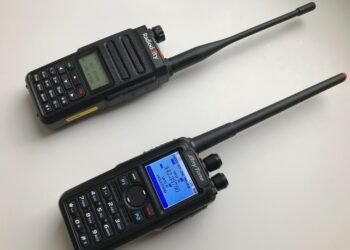
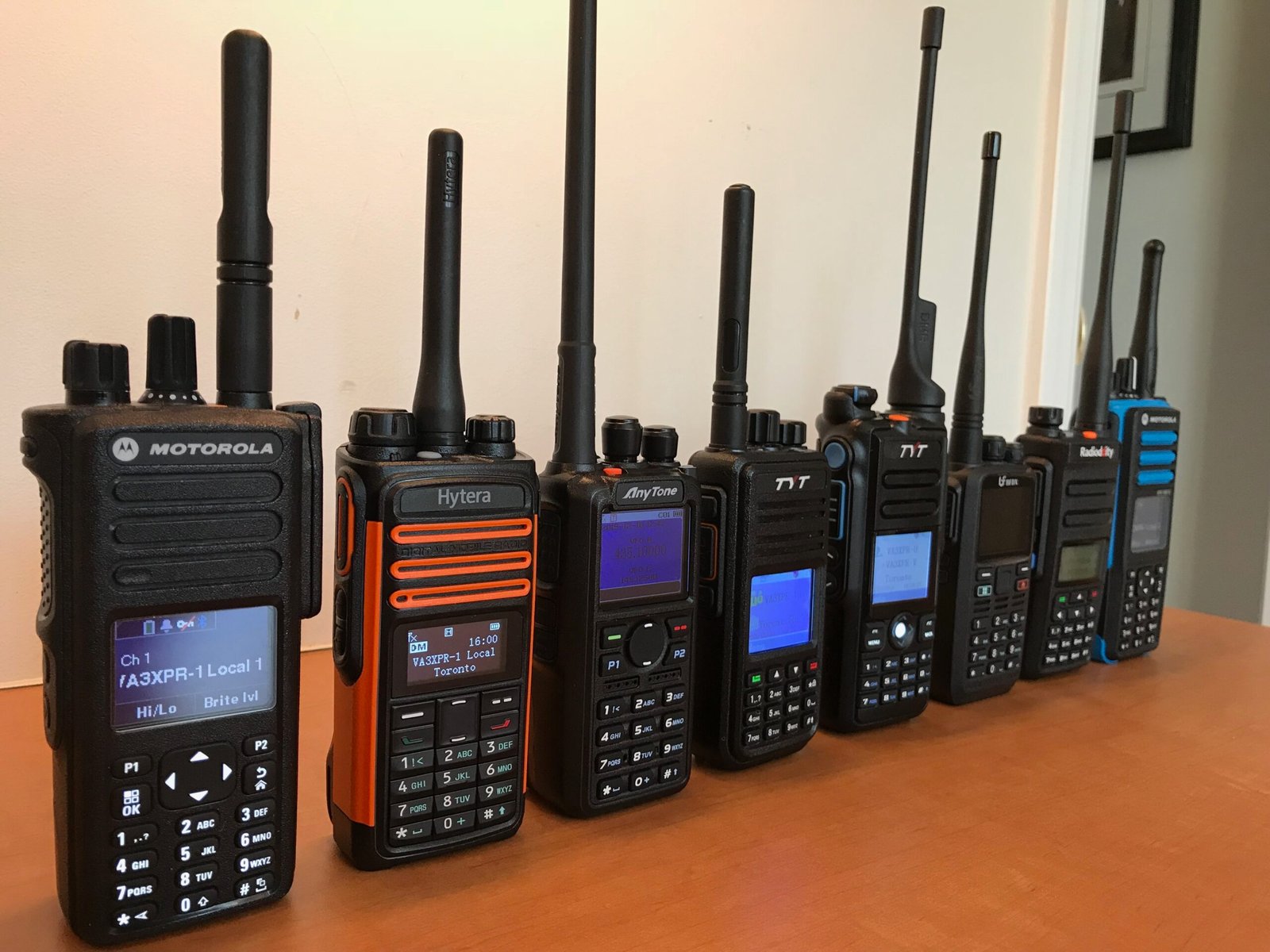
Compact and portable, DMR handhelds are ideal for local QSOs and traveling. Some of the most popular models include Anytone, TYT, Radioddity, Baofeng, and Connect Systems. HTs are often the first step for newcomers because they’re affordable and easy to carry.
Mobile Radios
DMR mobile rigs provide more power (typically 25–50 W), better audio, and are suited for use in a car or as a small home/base station. Many hams pair them with an outdoor antenna for extended range.
Hotspots
A DMR hotspot is a personal, low-power digital gateway – usually a tiny box connected to your Wi-Fi or Ethernet – that links your radio to worldwide networks like BrandMeister without needing a local repeater.
Popular units include OpenSpot4 Pro, Pi-Star-based boards, and ZumSpot.
Repeaters
DMR repeaters boost range and often serve as the backbone of local and regional networks. Most ham DMR repeaters are commercial units (e.g., Motorola MOTOTRBO, Hytera, Vertex Standard) that have been re-programmed for ham use. Some clubs and experimenters also build DIY repeaters using two mobile radios and a controller.
Used and Surplus Commercial Gear
Many hams take advantage of the used-equipment market for DMR radios originally built for public-safety or commercial fleets. Brands like Motorola (XPR/MOTOTRBO), Hytera, Vertex Standard, and Kenwood offer rugged radios that can often be found second-hand at reasonable prices.
While these radios may require proprietary programming software and cables, they’re typically more durable, have better audio, and higher RF performance than most entry-level ham-market models – making them an excellent option for operators who don’t mind a steeper programming curve.
Choosing Your First Gear
With so many options on the market, the right choice depends on how you operate, where you live, and what you expect from your radio.
- Portable vs. Mobile: Choose a handheld (HT) for compact use on the go or when hiking; pick a mobile radio if you need more power, louder audio, or plan to operate from a car or fixed station.
- Repeater Coverage vs. Hotspot: Check if your area has reliable DMR repeater coverage. If not, a personal hotspot can connect you to networks like BrandMeister from anywhere with Wi-Fi.
- Ham-Market vs. Commercial-Grade: Entry-level ham DMR radios are budget-friendly and simpler to program. Used or new commercial radios (e.g., Motorola, Hytera) offer tougher build quality, better audio, and higher RF performance – ideal if you need a heavy-duty rig or plan frequent use.
- Budget & Upgrade Path: Balance your budget against long-term plans. A modest HT is fine to start, but you might later want a mobile rig or a commercial handheld for better durability and audio.
Whichever direction you choose, make sure the radio supports DMR Tier II and matches your local band plan.
For detailed model recommendations and comparisons, see our DMR Radio Buying Guide.
6 You Might Also Like
- DMR vs Fusion vs D-Star: How to Choose the Right Digital Ham Radio Mode
- Analog vs Digital Voice: Key Differences Every Ham Should Know
- What Is Digital Voice in Ham Radio? A Complete Beginner’s Guide
7 Time Slots: Two Lanes on a One-Lane Road
Imagine a country road where only one car could pass at a time. DMR found a way to paint two invisible lanes on that same road.
Instead of transmitting continuously, your radio sends short bursts of voice data, alternating between two time slots – TS1 and TS2, at lightning speed. Because the bursts are so fast, each conversation sounds seamless, but the repeater is effectively carrying two separate QSOs at once on the same frequency.
For example, you might be chatting with a friend on TS2 local talkgroup, while another pair of operators uses TS1 for a worldwide net and neither interferes with the other. That’s one of DMR’s biggest advantages over analog FM.
Pro Tip: When you program your radio, the time slot is fixed in the channel settings. You don’t need to switch it every time you transmit, but you do need to know which slot your chosen talkgroup uses on a given repeater.
8 Color Codes: Digital Gatekeepers
Before you can drive down either lane, you need the right gate key and that’s the Color Code.
Think of it as the digital cousin of CTCSS or DCS tones used in analog FM. A repeater will ignore signals that don’t present the correct color code, preventing accidental key-ups by nearby users on the same frequency.
Color codes range from 1 to 15. The good news is you don’t have to guess, as each repeater lists its color code in online directories like Repeaterbook or RadioID.net.
Pro Tip: If your DMR radio refuses to key up a repeater even though the frequency is right, check the color code first – it’s often the culprit.
9 Talkgroups: Channels Without Changing Frequency
Once you’ve chosen the correct lane and opened the gate, you still have to decide where your voice will go. That’s the role of Talkgroups.
A talkgroup is like a virtual room on the network. Instead of twisting the knob to change frequency, you simply pick a talkgroup to join a local club chat, a regional traffic net, or a worldwide QSO party.
Here are a few you’ll encounter often:
- TG 9 – Local repeater only
- TG 91 – Worldwide
- TG 302 – Canada
- TG 3023 – Ontario
Repeater owners often dedicate TS1 to wide-area talkgroups like TG 91 or 302, and keep TS2 for local/regional chatter. This helps keep traffic organized.
For a full list of active ham-radio talkgroups, check the BrandMeister Network Talkgroups.
10 Bringing It All Together
Here’s what a typical DMR contact might look like:
- You’ve programmed your handheld for your local UHF repeater on 442.500 MHz, Color Code 1, Time Slot 2, and Talkgroup 302 (Canada).
- You press PTT and start your call. Your signal goes out on TS2 only, leaving TS1 free for other operators. Meanwhile, another ham across town is rag-chewing on TG 91 Worldwide using TS1 – both QSOs happen at the same time, seamlessly.
Once you grasp that time slot = lane, color code = gate key, and talkgroup = room, the whole system starts to make sense.
11 Getting Your First Radio on the Air
If you’re just starting out, here’s a smoother path:
- Gather the repeater info: frequency, offset, color code, and which TGs use which TS.
- Create a simple codeplug: Start with just a few channels and TGs to avoid confusion.
- Label everything clearly: Add TS and TG to your channel names so you don’t forget.
- Test simplex: Try a nearby simplex frequency with a friend to see how TS1/TS2 behave.
- Experiment with a hotspot: A personal DMR hotspot opens up talkgroups even if no local repeater covers you.
For a step-by-step beginner’s guide to programming your first DMR radio, check out our dedicated article: DMR for Beginners.
12 Pro Tips for Smooth DMR Operation
A few small habits can make your DMR experience smoother, improve audio quality, and keep you in good standing on shared repeaters and networks:
- Register for a DMR ID at RadioID.net—most networks require it.
- Pause between overs: DMR repeaters need a brief gap to handle network data.
- Use TG 9 for local chats so you’re not accidentally keying up a global talkgroup.
- Keep firmware and codeplug updated for better audio and compatibility.
- Check network dashboards (e.g., BrandMeister) to see which TGs are currently active.
13 FAQs: Clearing Up Common Confusion
Do I have to manually pick a time slot every time I transmit?
No. The channel you programmed already specifies it.
Can two people use the same talkgroup on both time slots?
It’s possible but uncommon; most networks map TGs to specific slots for efficiency.
Are color codes the same worldwide?
No. Each repeater operator chooses their own code (1–15).
Is DMR only for repeaters?
Not at all. DMR also works simplex or through a personal hotspot.
How does the audio compare to analog FM?
DMR audio is highly compressed, so it may not sound quite as natural or true to a person’s voice as analog FM. It’s typically cleaner at strong to medium signal levels but can drop off abruptly at the fringe of coverage.
14 Final Thoughts
DMR might look intimidating at first glance, but once you understand the roles of time slots, color codes, and talkgroups, it becomes surprisingly logical. Those three elements – lane, gate, and room, are what allow thousands of hams worldwide to share limited frequencies efficiently.
With a well-programmed radio and a little practice, you’ll find yourself jumping between local QSOs, regional nets, and worldwide rag-chews at the push of a button – all on a single repeater channel.
15 Related Reading on EvoHam
- DMR for Beginners: A Step-by-Step Guide for New Hams
- DMR vs Fusion vs D-Star: How to Choose the Right Digital Ham Radio Mode
- D-STAR for Beginners: A Step-by-Step Guide for New Hams
Some links in this story are affiliate links. If you choose to buy through them, EvoHam may earn a small commission – at no extra cost to you. It helps support more stories like this.