

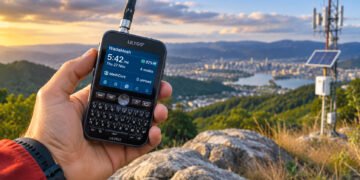






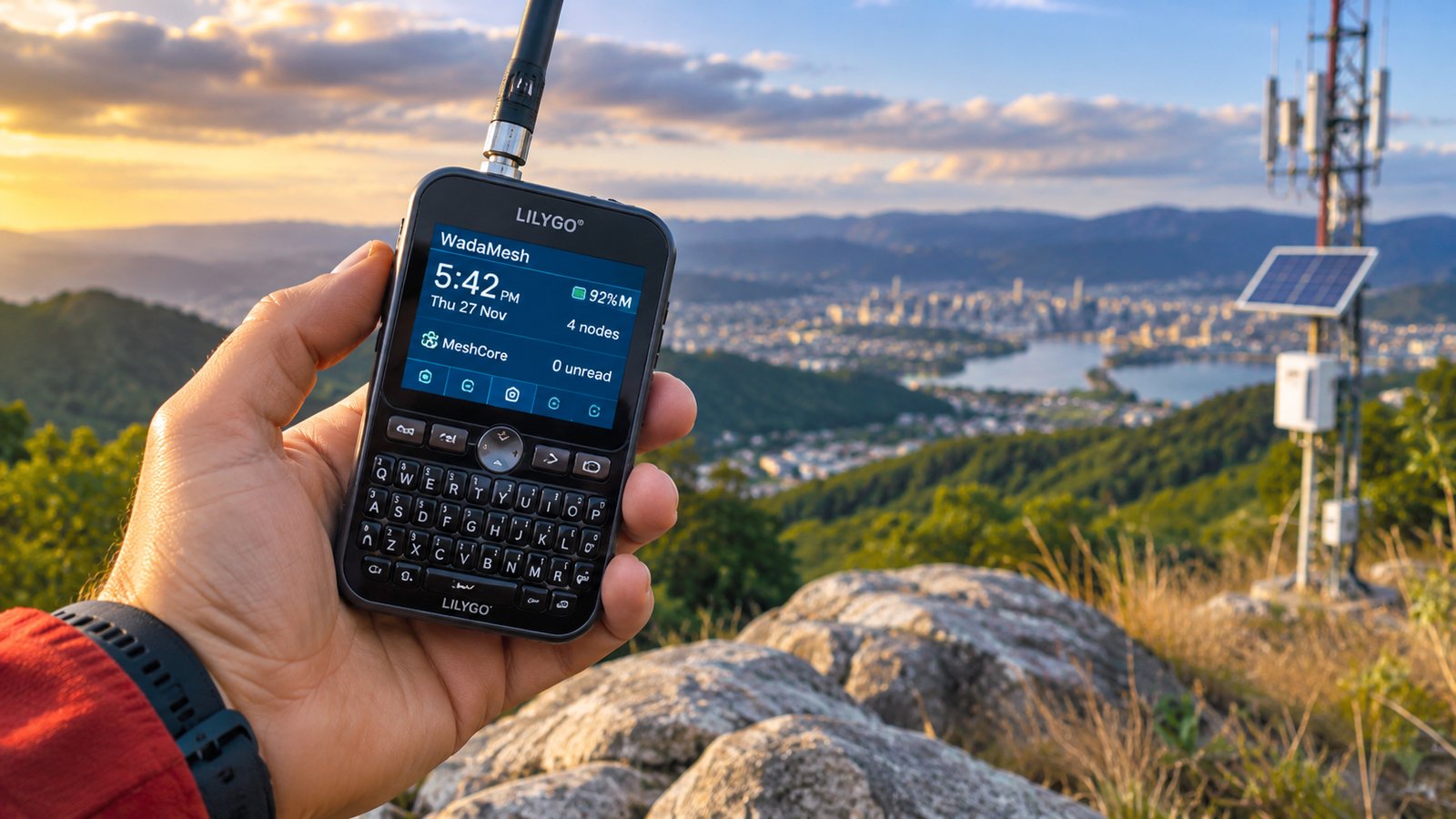

Imagine sending text messages across your city without cellular service, Wi-Fi, or an Internet connection. No mobile carrier, no monthly subscription, and potentially no communications infrastructure beyond a network of small, inexpensive radios.
So, what is MeshCore? It’s a growing wireless mesh networking platform built around LoRa (Long Range) radio technology that makes this possible.
For ham radio operators and wireless technology enthusiasts alike, MeshCore offers an exciting opportunity to explore low-power digital communications, experiment with antennas and radio propagation, and build community-based wireless networks.
But how does it work, what can you do with it, and what equipment do you need to get started?
Let’s find out.
1 What Is MeshCore?
MeshCore is a lightweight wireless networking system that allows compatible LoRa radios to exchange text messages without relying on traditional communications infrastructure.
Instead of connecting to a cellular tower or Wi-Fi access point, MeshCore devices communicate directly using radio signals on licence-exempt spectrum. Where dedicated repeaters are available, messages can travel across multiple radio links, potentially reaching users well beyond the range of a single device.
MeshCore is designed primarily for low-bandwidth communications, including:
- Text messaging between individuals
- Group conversations over shared channels
- Off-grid communications while hiking or camping
- Community communications networks
- Experiments with antennas, coverage, and radio propagation
- Supplemental communications during emergencies
Unlike conventional ham radio voice systems or Wi-Fi networks, MeshCore is designed specifically for exchanging small amounts of data over long distances.
It’s not intended for voice communications, video, or high-speed Internet access. Think of it as a way to send text messages over a network of low-power LoRa radios.
2 How Does MeshCore Work?
At the heart of MeshCore is LoRa, a radio modulation technology designed to transmit relatively small amounts of data over long distances while consuming very little power.
LoRa trades data speed for receiver sensitivity and range. A LoRa radio can often receive signals that would be too weak for many conventional digital communications systems.
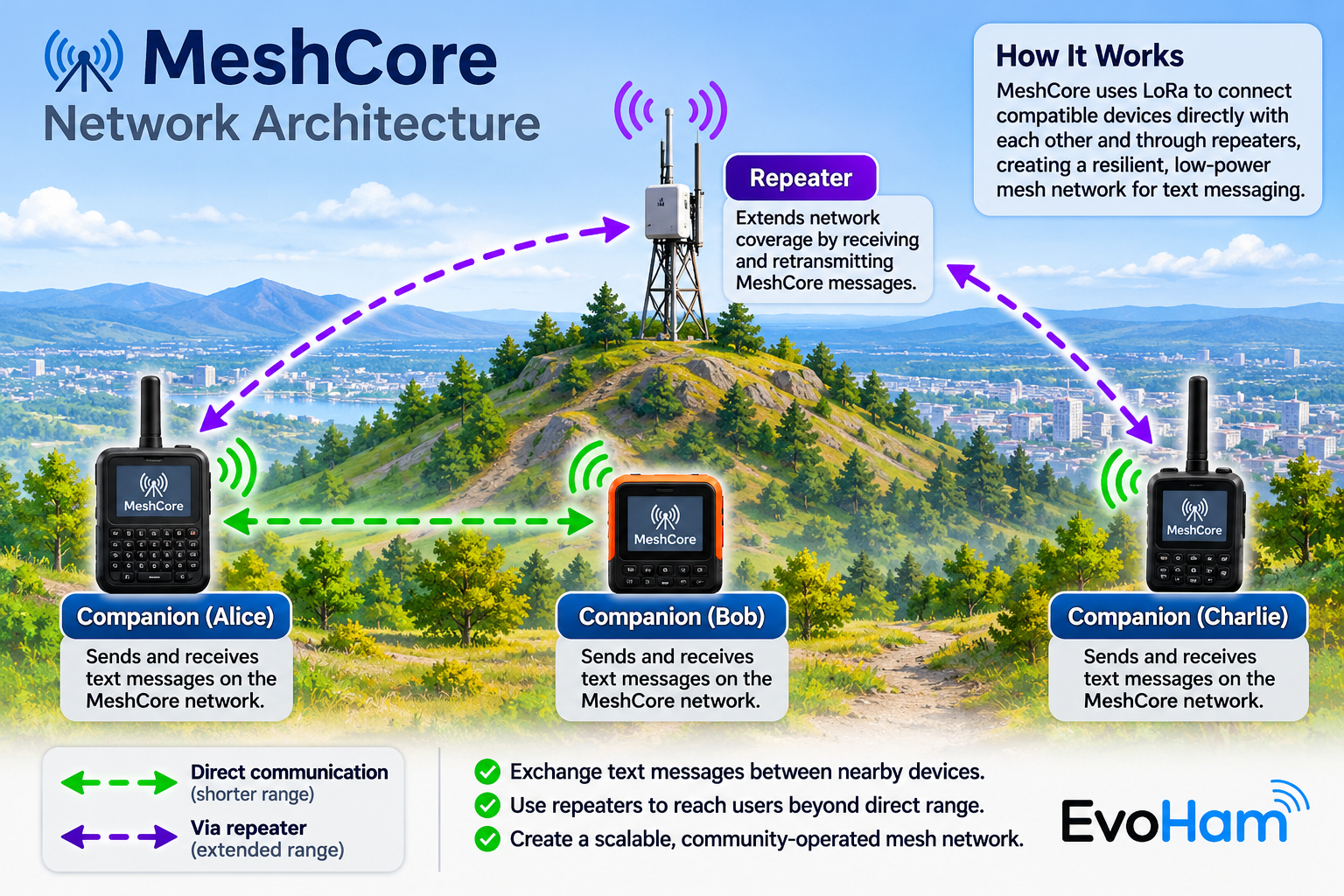
MeshCore builds on this capability by allowing compatible devices to form a network.
There are three important types of MeshCore devices.
1. Companion Nodes
A companion is your personal MeshCore radio.
Most companion devices connect to a smartphone using Bluetooth. You type messages in the MeshCore app, and the connected radio transmits them over the air.
Incoming radio messages travel in the opposite direction, appearing in your phone’s app.
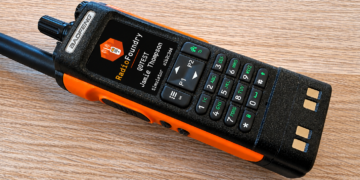
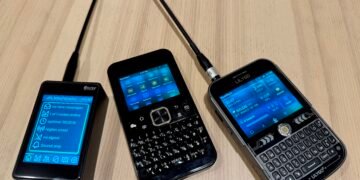
Some devices have built-in displays and keyboards, much like BlackBerry smartphones from the early 2000s, allowing users to send and receive messages without connecting to a separate device.
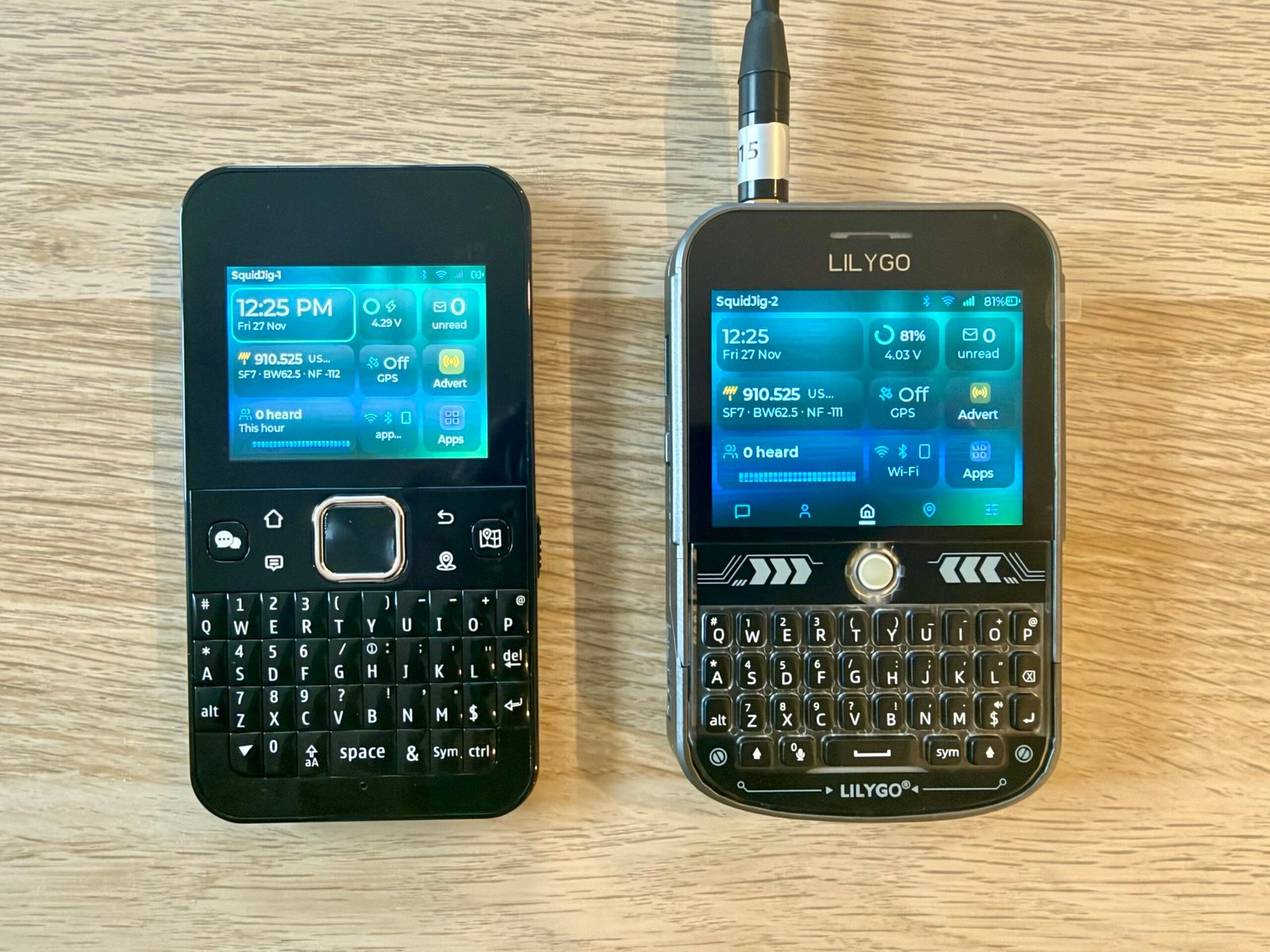
Companion nodes are primarily intended for sending and receiving messages. Unlike repeaters, they don’t normally forward traffic for other users.
2. Repeaters
Repeaters are what make larger MeshCore networks possible.
A repeater receives compatible MeshCore traffic and retransmits it when appropriate, extending communications beyond the range of a single radio link.
For example, imagine three MeshCore users, as shown in the illustration above:
– Alice and Bob are within direct radio range of one another.
– Charlie is several kilometres away, beyond Alice’s direct radio range.
– A MeshCore repeater located on a nearby hill is within radio range of both Alice and Charlie.
While Alice and Bob can exchange messages directly, Alice and Charlie can exchange messages through the hilltop repeater, extending communications beyond the range of their individual devices.
Add more repeaters, and communications can extend farther across a city or region.
Much like conventional ham radio repeaters, location and antenna height are important. A strategically positioned low-power LoRa repeater can provide considerably more useful coverage than a more powerful device installed in a poor location.
3. Room Servers
A room server is a LoRa device running dedicated firmware that provides a shared messaging space on the MeshCore network.
Unlike repeaters, which forward messages across the network, room servers store messages for later retrieval by users.
We’ll explore how room servers work in more detail in the Understanding MeshCore Messaging section below.
3 Understanding MeshCore Messaging
MeshCore offers several ways to communicate with other users, from public group conversations to private messages and discussion rooms. However, unlike conventional Internet-based messaging services, such as WhatsApp or Facebook Messenger, MeshCore handles message delivery and storage differently.
Public Channel
The Public channel is the default group messaging channel in MeshCore. Anyone participating in the same MeshCore network can send and receive messages on this channel.
Think of it as a common meeting place where users can introduce themselves, ask questions, make announcements and participate in general conversations.
Messages sent on the Public channel should be considered accessible to everyone.
Hashtag Channels
Hashtag channels allow users to create and participate in group conversations dedicated to specific topics, interests or communities.
For example, users might create channels such as:
- #HamRadio – Ham radio discussions.
- #Hiking – Communications among outdoor enthusiasts.
- #Montreal – Discussions among users in the Montreal area.
- #Weather – Local weather observations and reports.
- #Test – Testing equipment and network coverage.
Creating or joining a hashtag channel is as simple as adding its name to your list of channels. There is no central server or administrator required to create a channel.
Anyone who knows the channel name can join the conversation, so hashtag channels should not be considered private.
Private Channels
Private channels work much like hashtag channels but use a shared encryption key to restrict access to conversations.
To participate in a private channel, users must obtain the channel’s encryption key, which can typically be shared using a QR code or invitation link.
Private channels can be useful for families, groups of friends, hiking groups or organizations that want to exchange messages without making their conversations publicly accessible.
Direct Messages (Private Chats)
MeshCore also allows users to exchange private, one-to-one messages.
Once another MeshCore user has been added to your contacts, you can send them a direct message, much like sending a text message on your smartphone.
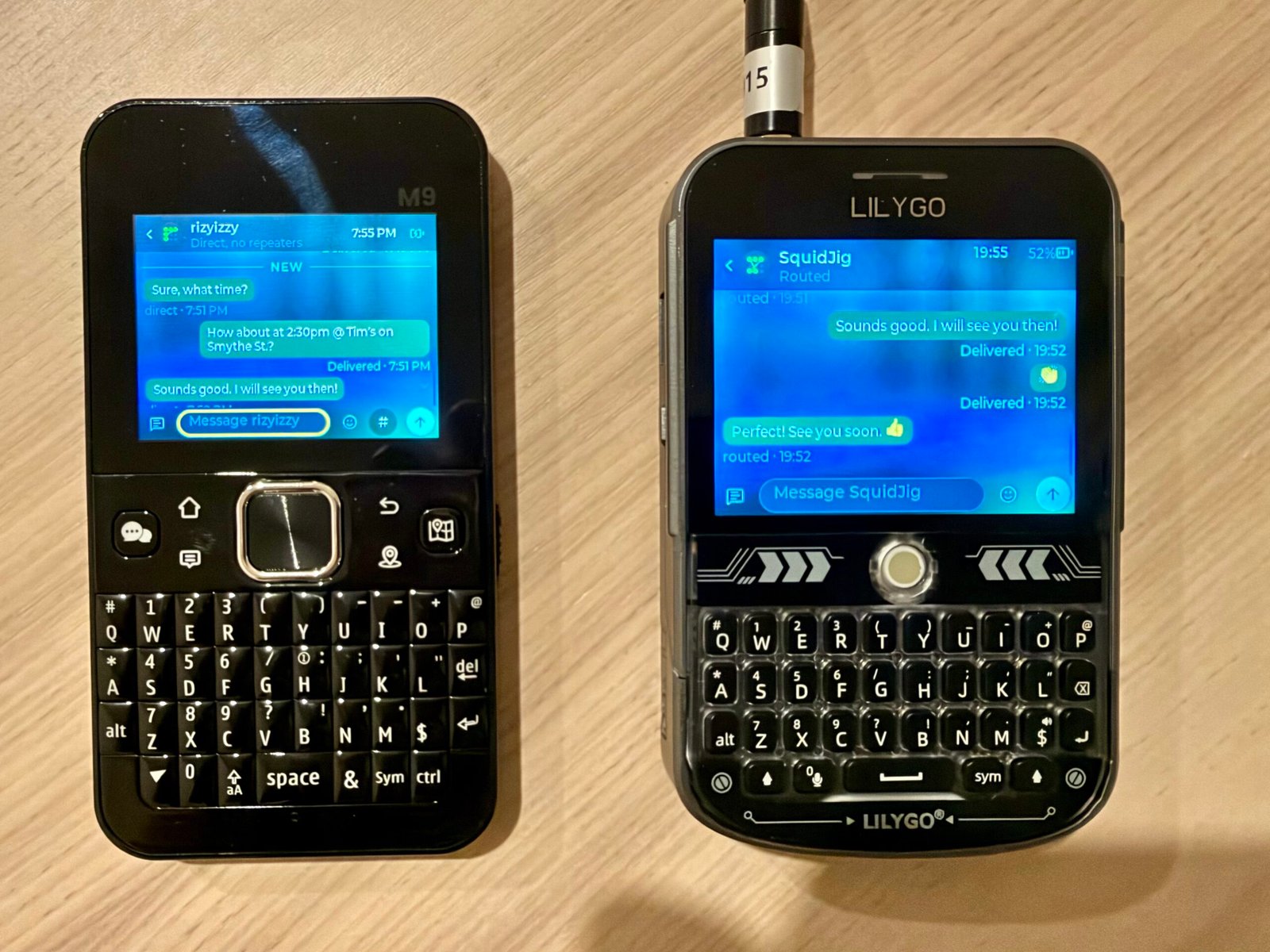
Direct messages are end-to-end encrypted, meaning that the repeaters forwarding your messages cannot read their contents.
Unlike channel messages, direct messages support delivery acknowledgements, allowing you to confirm whether a message has reached the recipient’s device.
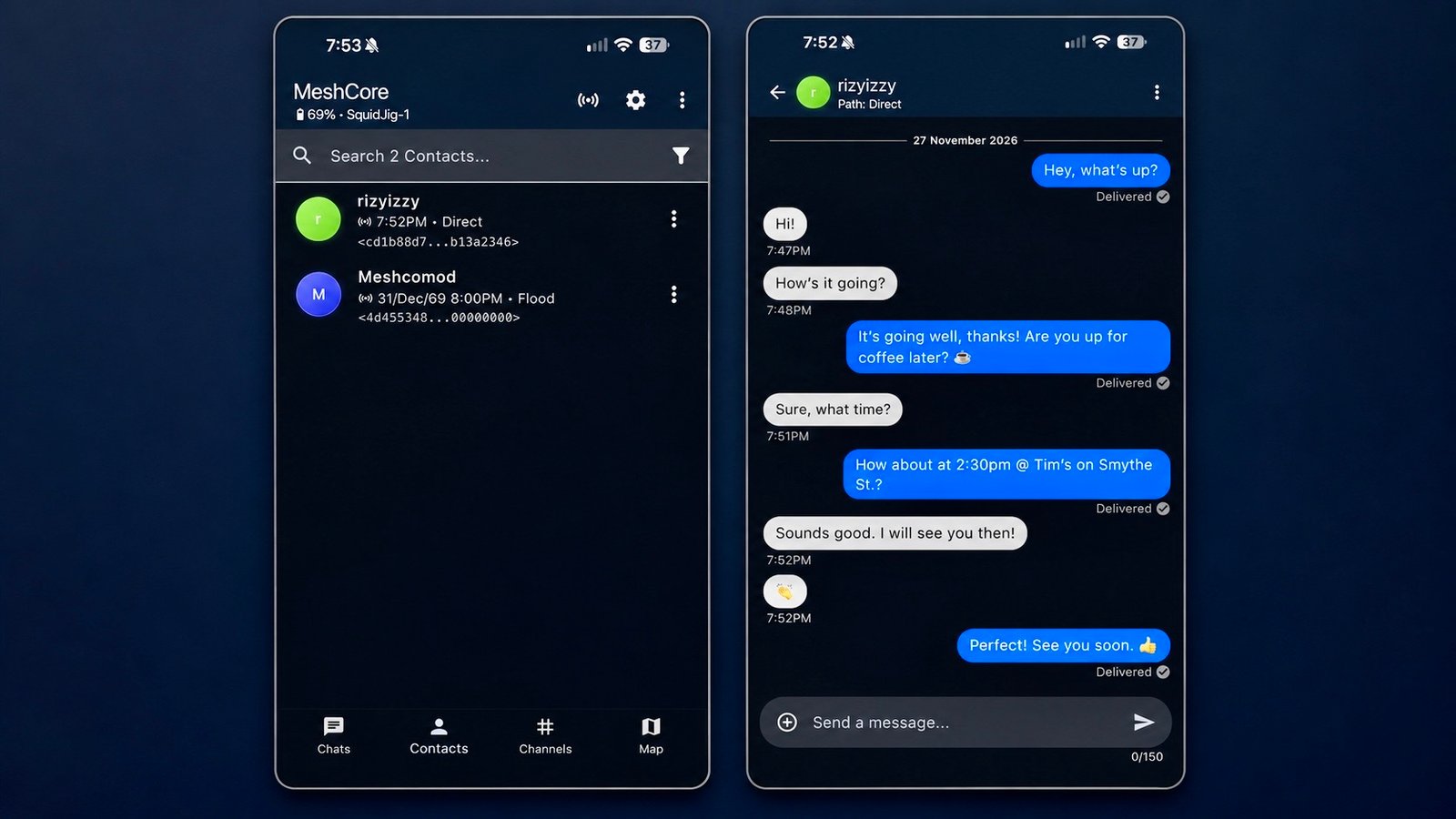
If you’re using a smartphone connected to a MeshCore companion device, the messaging experience is much like that of a conventional messaging app. The image below shows the same private conversation as seen on the two standalone LoRa devices above, but this time using the MeshCore app for iPhone.
Room Servers
Unlike ordinary channels, room servers allow users to catch up on recent conversations even if their LoRa devices were turned off or outside network coverage when the messages were originally sent.
Think of a room server as a wireless bulletin board system (BBS).
For example, a local community group might establish a room server where members can share announcements, discuss upcoming events and exchange information throughout the day.
To participate, users must log in to the room server, either directly or through the MeshCore repeater network. Once logged in, users can receive stored messages and post their own messages for others to read.
Standard MeshCore room servers currently store up to 32 of the most recent messages, with older messages being replaced as new ones are received.
Like other MeshCore messaging options, room servers do not require an Internet connection.
It’s important to understand that room servers are separate from ordinary channels. They only store messages posted to the room itself and do not automatically collect and store messages from public channels, hashtag channels, private channels or direct messages.
| Messaging Type | Communication | Access | Offline messages |
|---|---|---|---|
| Public channel | Group | Public | No |
| Hashtag channel | Group | Public | No |
| Private channel | Group | Private | No |
| Direct message | 1:1 | Private | No |
| Room server | Group | Private or Public | Yes |
What Happens When You’re Offline?
One of the most important differences between MeshCore and conventional Internet-based messaging services is how messages are delivered.
With services such as WhatsApp, messages are temporarily stored on servers and delivered when your device reconnects to the Internet.
Ordinary MeshCore channels and direct messages do not work this way.
If your MeshCore device is turned off or outside network coverage when someone sends a message, you may miss that message entirely. Repeaters forward messages across the network but do not normally store them for later delivery.
However, if your MeshCore device remains powered on and within coverage, it can generally receive and temporarily buffer incoming messages even when your smartphone is disconnected.
Room servers address the problem of missed messages by storing recent conversations for users to retrieve when they reconnect.
This distinction is important when deciding which type of MeshCore messaging to use.
4 MeshCore vs. Meshtastic: What’s the Difference?
If you’ve been following LoRa networking, you’ve probably heard of Meshtastic.
Both MeshCore and Meshtastic use LoRa radios to exchange messages without cellular service or Internet access. Both can operate on similar hardware.
However, their networking approaches differ.
| Feature | MeshCore | Meshtastic |
|---|---|---|
| Radio technology | LoRa | LoRa |
| Text messaging | Yes | Yes |
| Smartphone support | Yes | Yes |
| Message relaying | Dedicated repeaters | Multiple node roles |
| Routing approach | Flood discovery and learned paths | Managed flooding and learned next hops |
| Infrastructure emphasis | Dedicated repeaters | Flexible node roles |
| Interoperability | No | No |
One of MeshCore’s distinguishing characteristics is how it handles message routing.
When establishing communication with an unfamiliar destination, MeshCore can discover a route through the repeater network. Subsequent direct messages can then use that learned path rather than broadcasting unnecessarily across the entire network.
This can help reduce radio traffic as a network grows.
Meshtastic also supports route-aware direct messaging in modern firmware, so it’s not accurate to say that Meshtastic simply floods every message.
For beginners, the most important consideration is often which network already has active users and repeaters in your area.
A sophisticated networking protocol isn’t particularly useful if you have nobody nearby to communicate with!
5 What Equipment Do You Need?
Getting started with MeshCore is surprisingly affordable.
At a minimum, you’ll need:
- A compatible LoRa radio capable of running official MeshCore firmware or a third-party MeshCore-compatible firmware, such as WadaMesh.
- A smartphone or computer to configure the device and exchange messages, unless your device has standalone messaging capabilities.
- Another compatible device or an existing MeshCore network within radio range.
Several manufacturers offer LoRa devices capable of running MeshCore firmware, ranging from compact, pocket-sized communicators and handheld devices with built-in keyboards to development boards suitable for building repeaters.
The table below highlights a selection of MeshCore-compatible devices to give you an idea of the hardware available.
EvoHam may earn a commission from purchases made through the affiliate links below, at no extra cost to you.
| Device | Key Features | Buy Now |
|---|---|---|
| Elecrow ThinkNode M1 | Portable node, E-Ink, GPS | AliExpress |
| Elecrow ThinkNode M8 | Smartwatch, E-Ink, GPS | AliExpress |
| Elecrow ThinkNode M9 | Handheld, keyboard, GPS | AliExpress |
| Seeed Studio SenseCAP T1000-E | Card-sized node, GPS | AliExpress |
| Seeed Studio SenseCAP Solar Node P1 Pro | Solar-powered repeater | AliExpress |
| LILYGO T-Deck Plus | Touchscreen, keyboard, GPS | AliExpress |
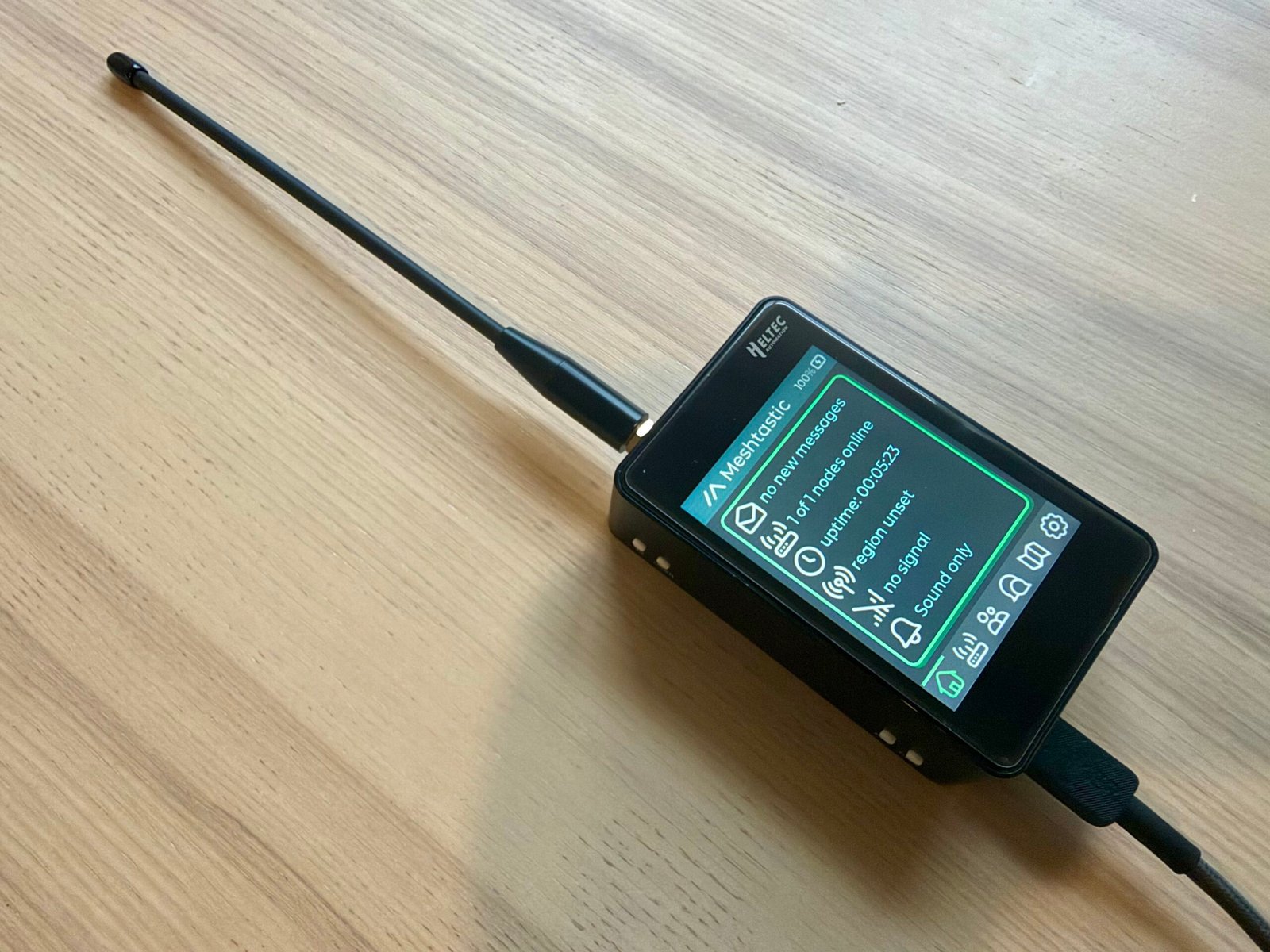
| Heltec WiFi LoRa 32 V4 | DIY companion or repeater | AliExpress |
Before purchasing a device, check the MeshCore Web Flasher or third-party firmware projects, such as WadaMesh, to confirm that your specific hardware model and revision are supported. Some devices may have experimental firmware or limited support for certain MeshCore features. Be sure to select the appropriate hardware frequency version for your region (e.g., 915 MHz for North America and 868 MHz for Europe).
For beginners, a portable Bluetooth-enabled device with a built-in rechargeable battery and an antenna is often the easiest and most convenient option, particularly if you already own a smartphone.
You don’t need an elaborate outdoor antenna system to begin experimenting. A basic handheld LoRa device with its supplied antenna is sufficient for initial tests, provided another compatible node is within range.
6 Getting Started with MeshCore
Getting started with MeshCore is relatively straightforward, although the process of installing firmware, configuring radio settings and connecting to the MeshCore app can vary depending on the device you choose.
To help you get up and running, EvoHam will be publishing dedicated step-by-step setup guides for popular MeshCore devices, complete with screenshots and practical instructions to walk you through everything from installing the firmware to sending your first message.
7 How Far Can MeshCore Communicate?
One of the most common questions about MeshCore is how far a message can travel.
The answer depends on several factors, including:
- Antenna height and efficiency
- Terrain and obstructions
- Transmitter power
- Receiver sensitivity
- Local radio interference
- LoRa modulation settings
- Availability and placement of repeaters
A handheld device inside a building may have considerably less range than the same device outdoors on a hill.
With good line-of-sight conditions, individual LoRa links can cover several kilometres or considerably farther. However, there is no guaranteed distance, and performance in dense urban environments can be much more limited.
Repeaters can extend the total distance by providing intermediate radio links.
For wireless enthusiasts, this makes MeshCore an interesting platform for antenna experiments, coverage mapping, and understanding how UHF signals propagate through different environments.
8 Do You Need a Ham Radio Licence?
Not necessarily. Many MeshCore networks operate on licence-exempt radio frequencies, including portions of the 902–928 MHz band in Canada and the United States.
When equipment is compliant with applicable regulations, an amateur radio licence is generally not required to use these networks.
However, that doesn’t mean every LoRa radio, amplifier, antenna, power setting, or firmware configuration is automatically legal.
Users are responsible for ensuring that their equipment and operation comply with the rules in their country.
An important distinction: MeshCore supports encrypted messages, but amateur radio services generally restrict communications intended to obscure their meaning. Operating MeshCore under amateur radio privileges rather than applicable licence-exempt rules raises additional regulatory considerations.
For most beginners, joining an established, legally operating licence-exempt MeshCore network is the simplest starting point.
9 Why Should You Try MeshCore?
Whether you’re interested in wireless technology, outdoor adventures, emergency preparedness or simply experimenting with something new, MeshCore offers plenty of opportunities to explore.
Off-grid communications: Exchange text messages with friends, family and fellow outdoor enthusiasts in areas where cellular coverage is limited or unavailable.
Low-cost experimentation: Affordable LoRa hardware makes it possible to explore digital communications and wireless networking without investing in expensive equipment.
Propagation and antenna experiments: MeshCore provides opportunities to examine signal strength, coverage, antenna placement and how the surrounding environment affects radio performance.
Community networking: Work with other local enthusiasts to build and expand a community-operated wireless communications network.
Emergency preparedness: Locally operated messaging networks may provide an additional communications option when conventional infrastructure is unavailable. However, coverage, reliability, battery life and operational procedures need to be tested before depending on them.
Learning new technologies: MeshCore introduces concepts such as packet routing, network discovery, encryption and distributed communications.
Whether you’re an experienced ham radio operator or completely new to wireless communications, there’s plenty to discover.
10 How to Find a MeshCore Network Near You
Before purchasing a MeshCore device, it’s worth checking whether there are already active users and repeaters in your area.
Several online resources can help you discover existing MeshCore networks:
- MeshCore Map – A worldwide map showing MeshCore companion nodes, repeaters and room servers.
- MeshMapper – A community-driven mapping platform that visualizes real-world MeshCore radio coverage using data collected by local users.
- Find My Mesh – A directory of regional mesh networking maps and resources.
You can also search for local MeshCore and LoRa networking communities on Facebook, Discord and Reddit. These communities are often excellent sources of information about local network coverage, recommended radio settings, popular discussion channels and plans for expanding the network.
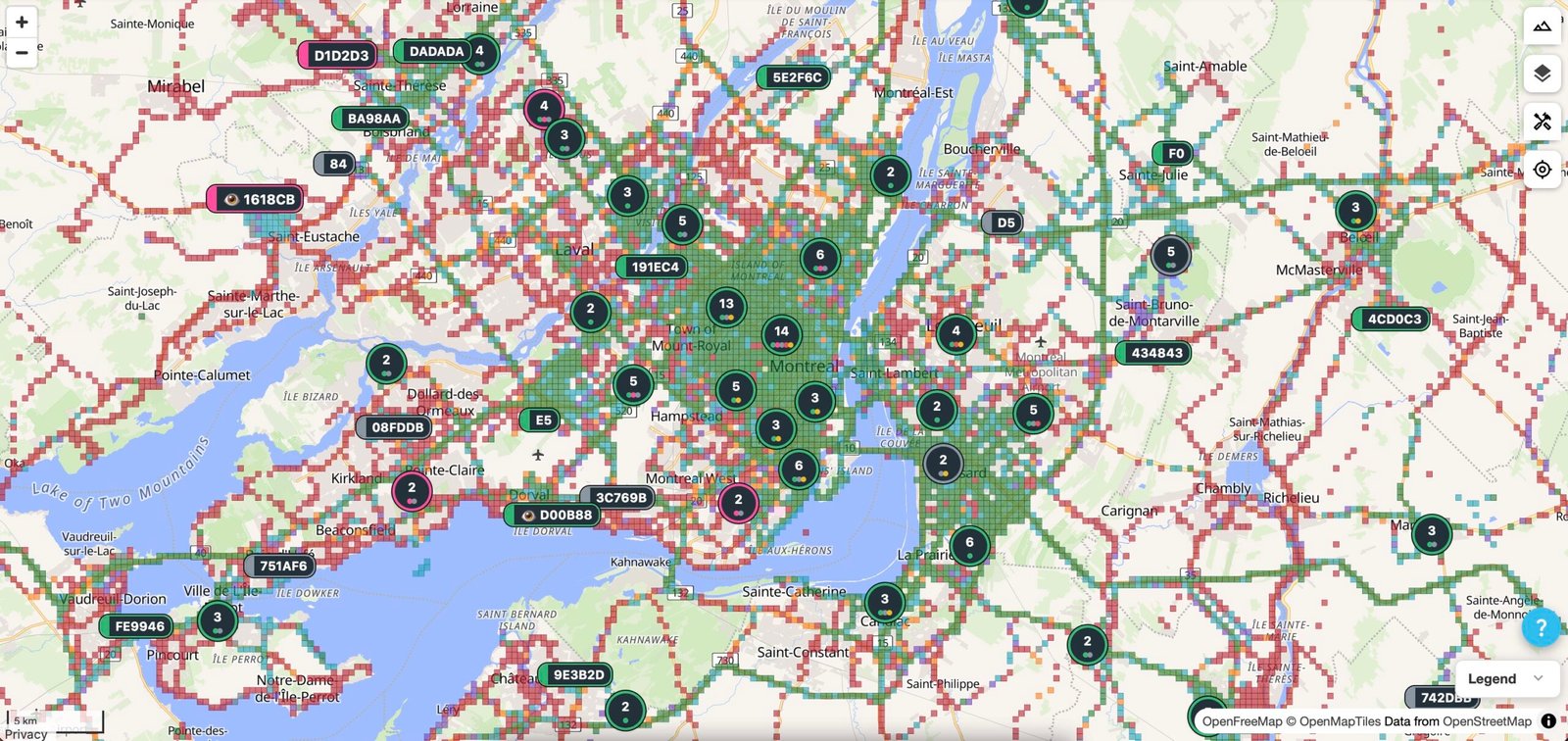
Keep in mind that not all MeshCore devices appear on public maps, and the presence of a nearby repeater doesn’t necessarily guarantee coverage at your location. Terrain, buildings and antenna placement can all affect your ability to connect to the network.
Once you’ve identified an active network in your area, make sure your device uses the same radio frequency, bandwidth, spreading factor and coding rate as the local network.
11 What If There Isn’t a MeshCore Network Near You?
If you can’t find any nearby users or repeaters, you’re not necessarily out of luck.
You can still experiment with two compatible devices, exchanging messages directly and testing their coverage.
You could also work with a local amateur radio club to establish a small network.
A few strategically located repeaters may be enough to demonstrate useful coverage across a neighbourhood or small community, although actual results depend heavily on terrain and antenna placement.
Before investing in permanent infrastructure, look for an existing MeshCore community, coordinate radio settings, and identify where additional coverage would genuinely be useful.
A well-positioned repeater serving active users is considerably more valuable than several poorly placed devices operating in isolation.
12 Frequently Asked Questions (FAQ)
Do I need a ham radio licence to use MeshCore?
No. In many countries, MeshCore can operate on licence-exempt frequencies, provided your equipment and radio settings comply with local regulations. This makes MeshCore accessible to both ham radio operators and wireless technology enthusiasts.
Does MeshCore require an Internet connection?
No. MeshCore devices communicate directly with one another or through a network of LoRa repeaters. Neither Internet access nor cellular service is required to exchange messages. However, certain optional features, such as online network maps, require Internet connectivity.
Is MeshCore free to use?
Yes. The core MeshCore firmware is open source, and basic messaging does not require a subscription or service plan. However, some applications offer optional paid features, and you’ll need to purchase compatible LoRa hardware.
Can I use MeshCore without a smartphone?
Yes. Some MeshCore-compatible devices feature built-in displays and keyboards, allowing users to send and receive messages without a smartphone. Examples include the LILYGO T-Deck Plus and other handheld communicators running compatible firmware.
Can I use my existing Meshtastic device with MeshCore?
In many cases, yes. Both platforms support a variety of common LoRa devices. However, you’ll need to install compatible MeshCore firmware on your device, and your existing Meshtastic configuration will not automatically carry over.
Can MeshCore and Meshtastic devices communicate with each other?
No. Although both platforms use LoRa radio technology, they use different communications protocols and are not directly interoperable.
How do I find MeshCore users and repeaters near me?
Online resources such as MeshMapper can help you identify MeshCore activity and coverage in your area. You can also search for local MeshCore communities on Facebook and Discord or contact your local amateur radio club. Keep in mind that not all active devices and repeaters appear on public maps.
Do I need a MeshCore repeater to communicate?
No. Two compatible MeshCore devices can communicate directly with one another if they are within radio range and use compatible radio settings. Repeaters are used to extend coverage beyond the range of individual devices.
Will I receive MeshCore messages if my smartphone is turned off?
Generally, yes, provided your LoRa device remains powered on, within radio coverage and has sufficient message buffer space. If your LoRa device itself is turned off or outside network coverage, ordinary channel messages and direct messages may be missed. Room servers provide an alternative for retrieving stored messages.
Can I use MeshCore to communicate with someone in another city?
Yes, provided there is a usable path between your device and the recipient through a network of compatible MeshCore repeaters. Unlike Internet-based messaging services, communications between cities depend on the availability and coverage of the radio network.
Do I need a GPS-enabled device to use MeshCore?
No. GPS is not required for sending or receiving text messages. However, GPS-equipped devices can provide location information and support additional features, depending on the firmware and application being used.
Can I use MeshCore for emergency communications?
MeshCore can provide a useful supplemental communications option when cellular or Internet services are unavailable. However, its effectiveness depends on network coverage, equipment reliability, battery life and the availability of other users. It should not be relied upon as your sole means of emergency communications.
How long can a MeshCore text message be?
MeshCore supports text messages of up to 160 bytes, similar to the length of a traditional SMS text message. Channel messages have a slightly lower limit because the sender’s device name is included in the message. Special characters and emojis may also reduce the number of available characters.
Keeping messages short helps minimize radio airtime, reduce network congestion and improve the efficiency of the mesh network.
13 Ready to Try MeshCore?
Whether you’re an experienced ham radio operator or completely new to wireless communications, MeshCore offers an affordable and accessible way to explore off-grid messaging and community-built wireless networks.
Have you tried MeshCore yet? Is there an active network in your area? Share your experiences in the comments below!
14 Additional Resources
- MeshCore Official Website – Apps, firmware, and project information.
- MeshCore Documentation – Technical documentation and frequently asked questions.
- MeshCore Web Flasher – Firmware installation and supported hardware.